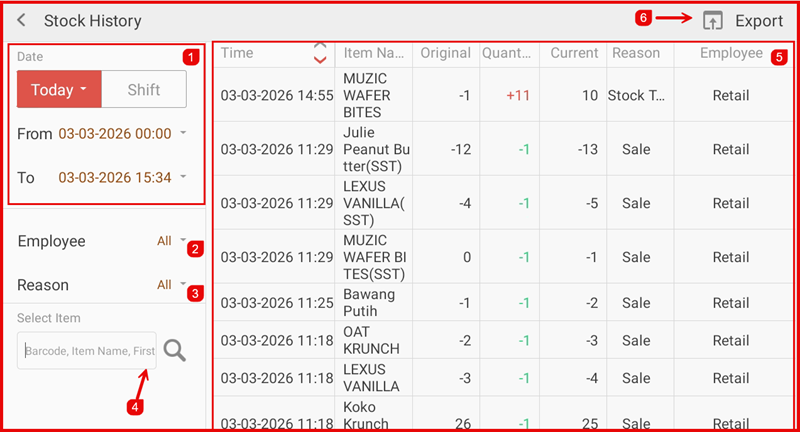
Stock History View
This guide explains how to view and track stock movement history in the iPOS Retail Stock module. Stock History records all stock in and out movements for full traceability.
1. Stock History Page
The Stock History page displays a complete log of all stock movements including date, item name, movement type (in/out), quantity, and reference details.
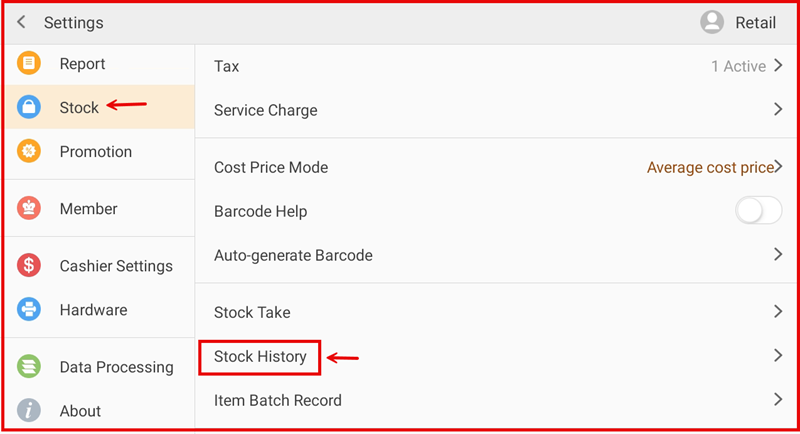
2. Filter & Export
Use the date filter and item filter to narrow down stock movement records. Click the export button to download the history in CSV or Excel format for reporting purposes.