Top Up Rewards
The Top Up Reward promotion gives registered members a cash rebate and/or a free gift item when they top up their member account balance by a set amount. This encourages members to maintain and increase their prepaid balance.
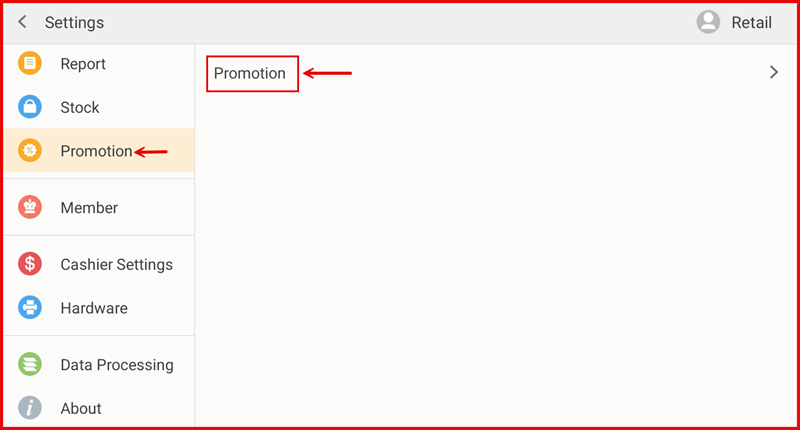
Step 1: Go to Settings → Promotion
From the POS Settings screen, tap Promotion in the left sidebar, then tap Promotion on the right panel.
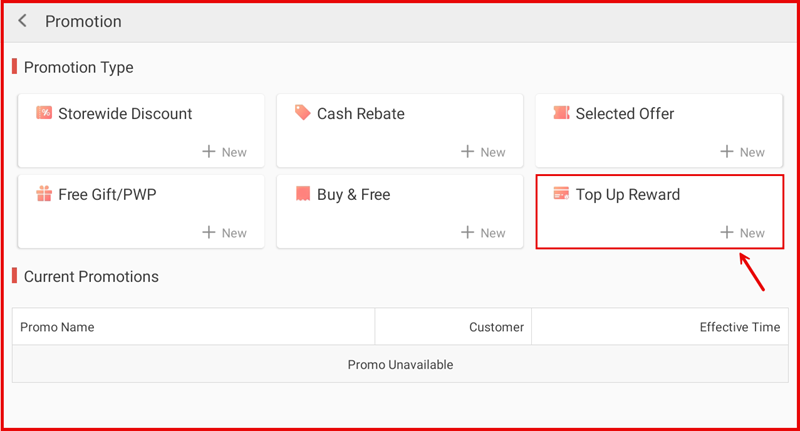
Step 2: Tap + New under Top Up Reward
On the Promotion page, tap + New in the Top Up Reward tile.
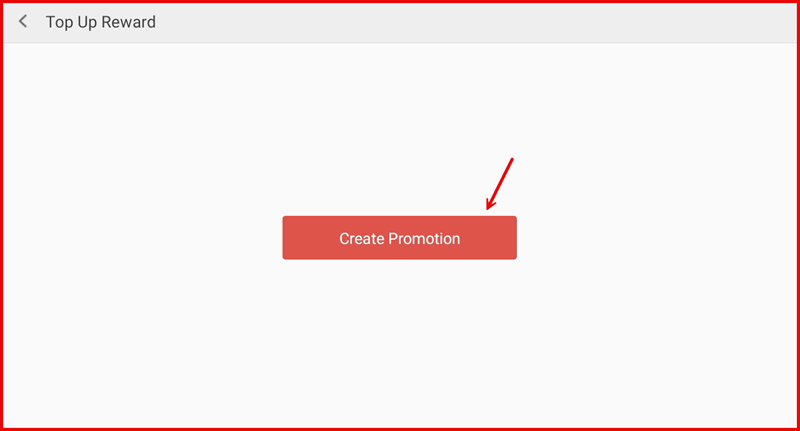
Step 3: Tap Create Promotion
Tap the Create Promotion button to open the setup form.
Step 4: Fill In Promotion Details and Save
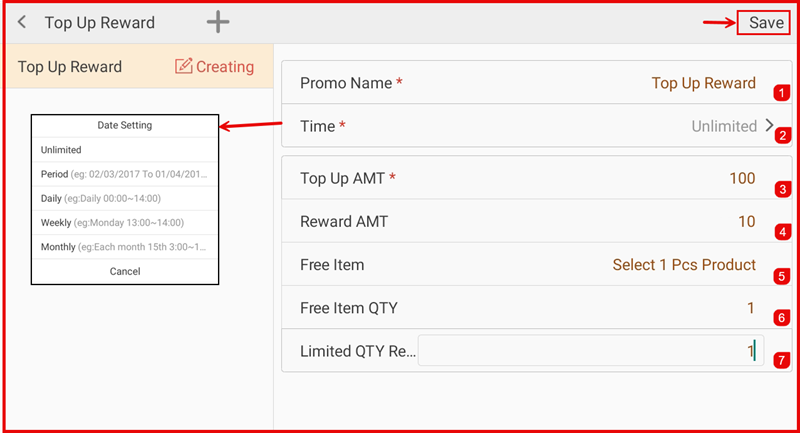
Complete the following fields then tap Save:
- ① Promo Name — Enter a name (e.g. Top Up Reward).
- ② Time — Set the effective period (Unlimited, Period, Daily, Weekly, or Monthly).
- ③ Top Up AMT — Set the minimum top-up amount required to qualify for the reward.
- ④ Reward AMT — Enter the cash rebate amount the member receives.
- ⑤ Free Item — Tap to select a free gift item (optional).
- ⑥ Free Item QTY — Set the quantity of the free item.
- ⑦ Limited QTY Re... — Set the daily redemption limit per transaction.
Step 5: Select Member on POS
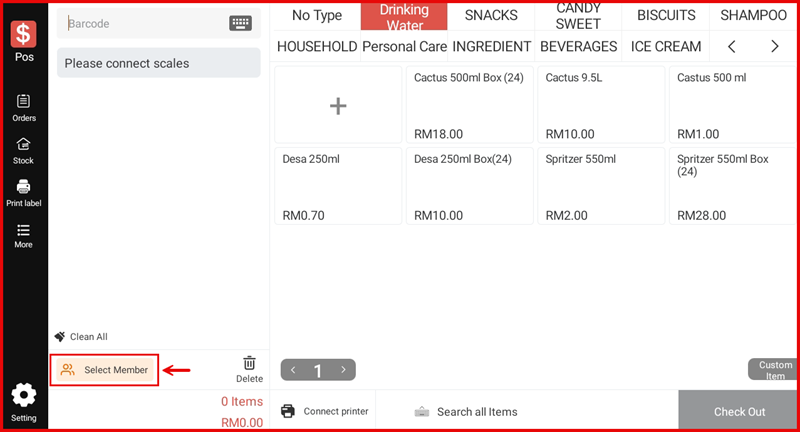
On the main POS screen, tap Select Member at the bottom left to look up the member who wants to top up.
Step 6: Enter Member Phone or Card Number
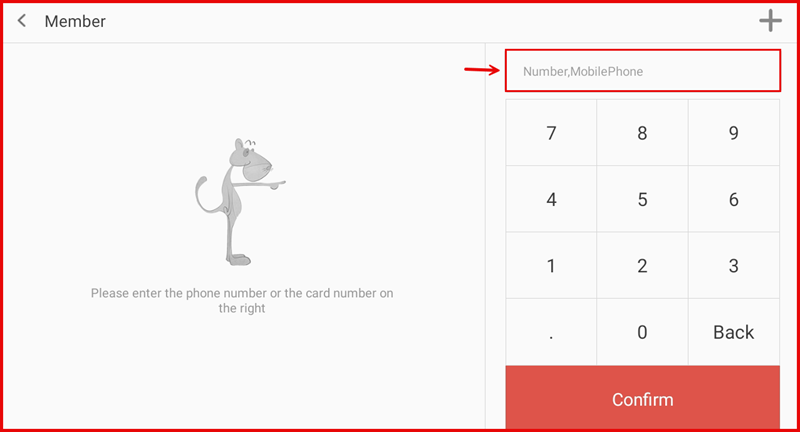
On the Member screen, enter the member's phone number or card number using the number pad, then tap Confirm.
Step 7: View Member Profile and Select Top Up Tab
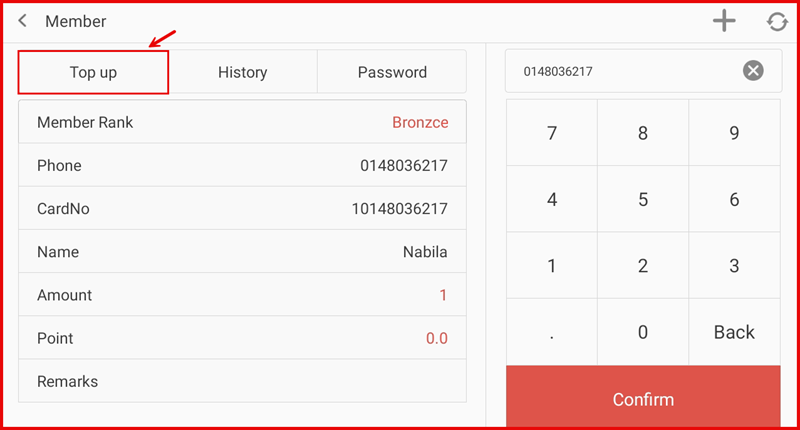
The member profile is displayed. Tap the Top up tab to proceed to the top-up screen. Verify the member details (Member Rank, Phone, CardNo, Name, current Amount and Points).
Step 8: Enter Charge Amount and Complete
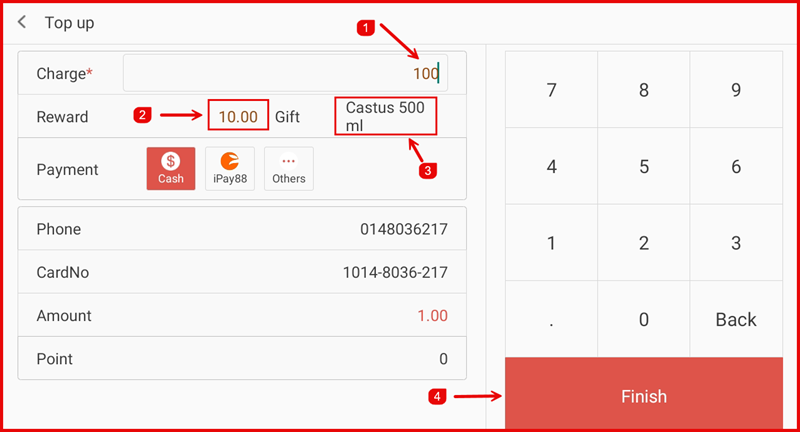
On the Top up screen:
- ① Charge — Enter the top-up amount (e.g. 100).
- ② Reward — The cash rebate (e.g. RM10.00) is shown automatically based on the promotion.
- ③ Gift — The free item (e.g. Castus 500 ml) is shown if configured.
- Select the Payment method (Cash, iPay88, or Others).
Tap Finish (④) to complete the top-up and apply the reward.