Cash Rebate
The Cash Rebate promotion gives customers a fixed rebate amount when their purchase reaches a set minimum. You can apply it to all customers or specific member tiers and filter by category.
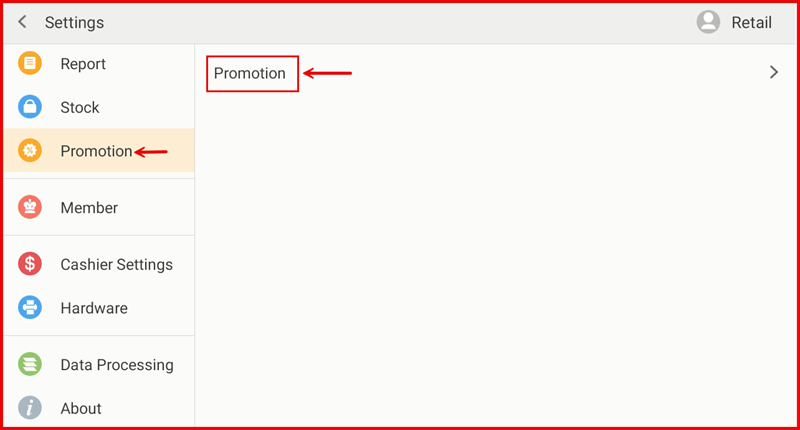
Step 1: Go to Settings → Promotion
From the POS Settings screen, tap Promotion in the left sidebar, then tap Promotion on the right panel.
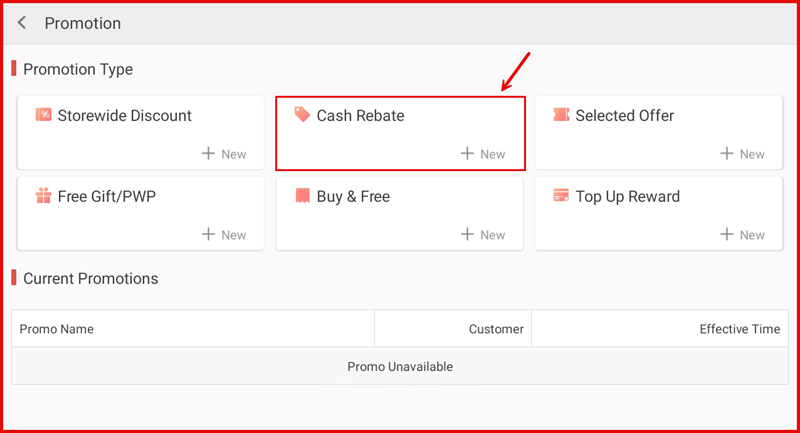
Step 2: Tap + New under Cash Rebate
On the Promotion page, tap + New in the Cash Rebate tile.
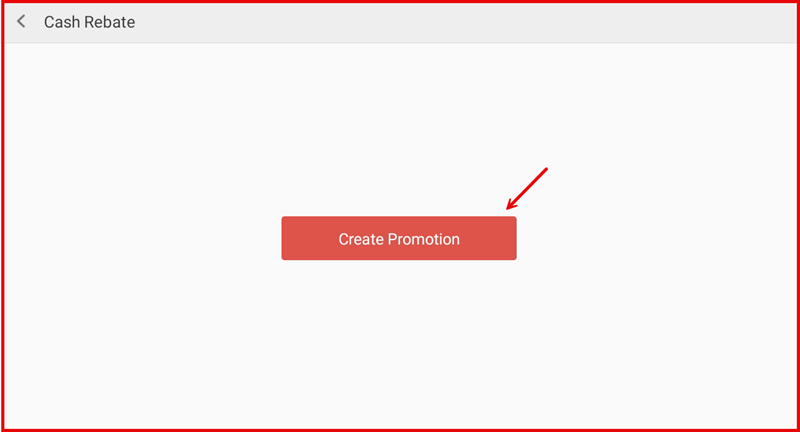
Step 3: Tap Create Promotion
Tap the Create Promotion button to open the setup form.
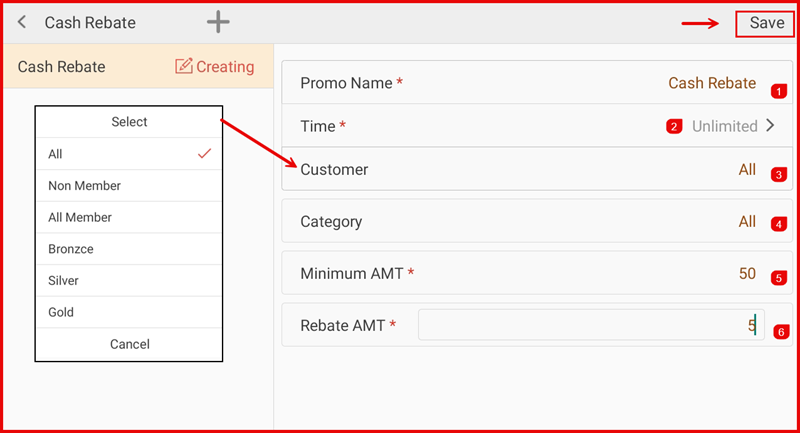
Step 4: Fill In Promotion Details and Save
Complete the following fields then tap Save:
- ① Promo Name — Enter a name for the promotion (e.g. Cash Rebate).
- ② Time — Set the effective period (Unlimited, Period, Daily, Weekly, or Monthly).
- ③ Customer — Select who qualifies: All, Non Member, All Member, Bronzce, Silver, or Gold.
- ④ Category — Set the applicable product category (All or a specific category).
- ⑤ Minimum AMT — Set the minimum purchase amount required to earn the rebate.
- ⑥ Rebate AMT — Enter the fixed rebate amount the customer receives.
Step 5: Manage an Existing Promotion
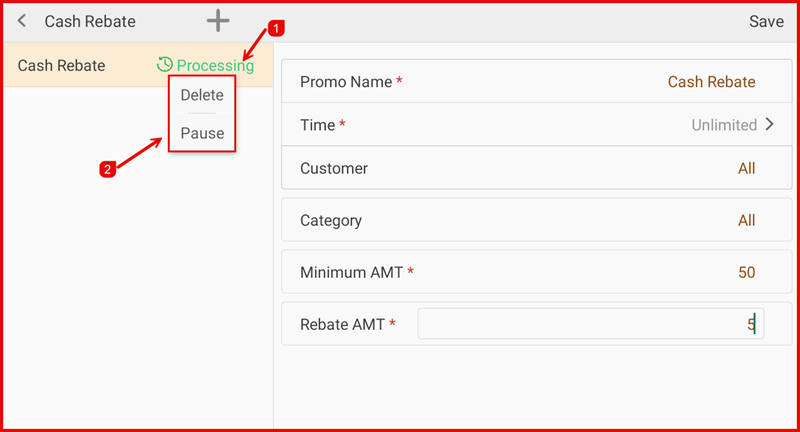
Once saved, the promotion status shows Processing. Tap the promotion name (①) to reveal management options. Tap Delete to remove the promotion, or Pause (②) to temporarily suspend it.