Split Bill
The Split Bill feature allows you to divide the total amount equally among multiple guests at checkout. Each guest pays their own share separately.
Step 1 — Add Items and Tap Check Out
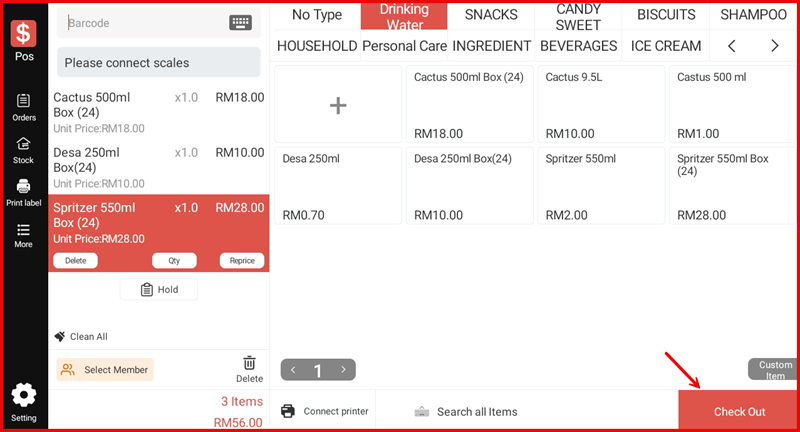
Add all items to the cart as usual. Once ready, tap Check Out to proceed to the Settlement screen.
Step 2 — Tap Split Bill on the Settlement Screen
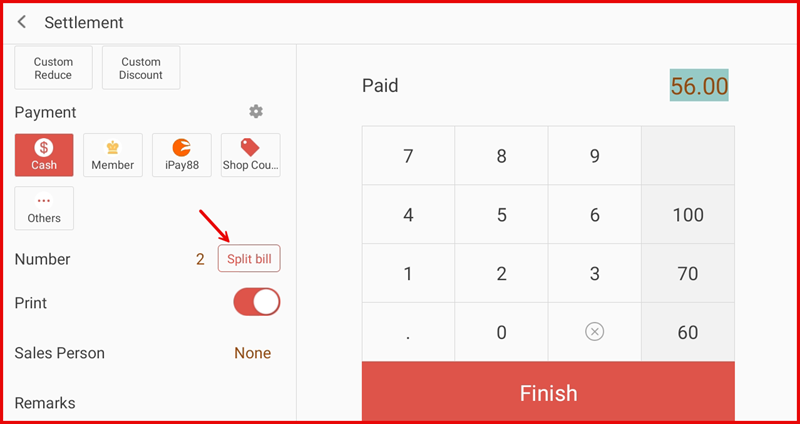
On the Settlement screen, locate the Number field and tap the Split bill button next to it.
Step 3 — Enter Number of Pax and Confirm
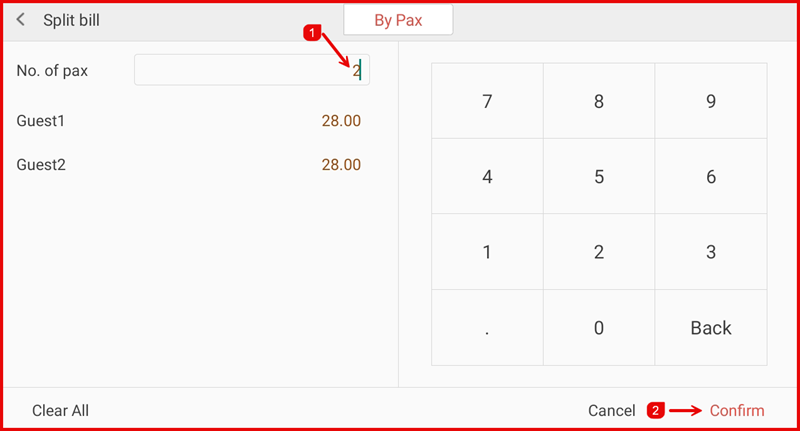
The Split bill screen opens on the By Pax tab. Enter the No. of pax (①) using the numeric keypad — the total will be divided equally and shown per guest (e.g. Guest1: RM28.00, Guest2: RM28.00). Tap Confirm (②) to apply the split.
Step 4 — Collect Payment from Each Guest
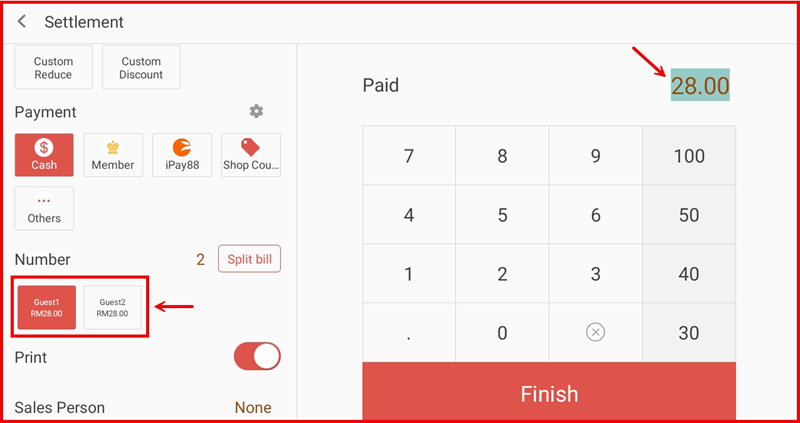
Back on the Settlement screen, each guest is shown as a card below the Split bill button (e.g. Guest1 RM28.00, Guest2 RM28.00). The active guest is highlighted and the Paid amount is pre-filled with their share. Select the payment method, confirm the amount, then tap Finish to process each guest in turn.