Member Card Setting
The Member Card Setting screen has three tabs — Card Setting, Points Setting, and Level Setting — allowing you to fully configure your membership programme. Tap Save (top-right) after making changes on each tab.
Navigate to Member Card Setting
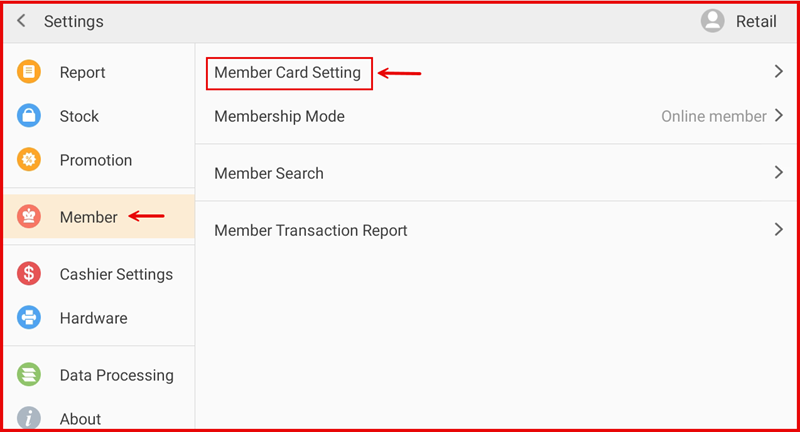
Tap Setting to open the Settings screen. In the left sidebar, tap Member. Then tap Member Card Setting on the right panel.
1. Card Setting
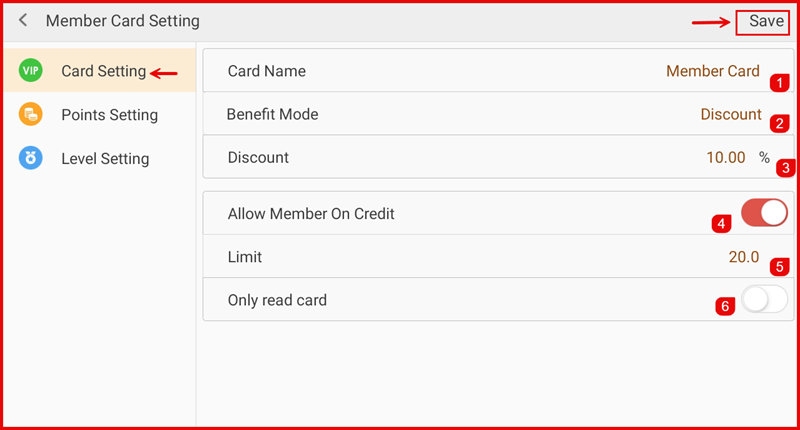
The Card Setting tab defines the core card identity and credit behaviour for members.
- Card Name (①) — The display name of the membership card (e.g. Member Card).
- Benefit Mode (②) — The type of benefit granted to members (e.g. Discount).
- Discount (③) — The discount percentage applied when Benefit Mode is set to Discount (e.g. 10.00%).
- Allow Member On Credit (④) — Toggle ON to allow members to pay on credit.
- Limit (⑤) — The maximum credit limit allowed per member (e.g. 20.0).
- Only read card (⑥) — Toggle ON to restrict the card to read-only mode.
Tap Save to apply changes.
2. Points Setting
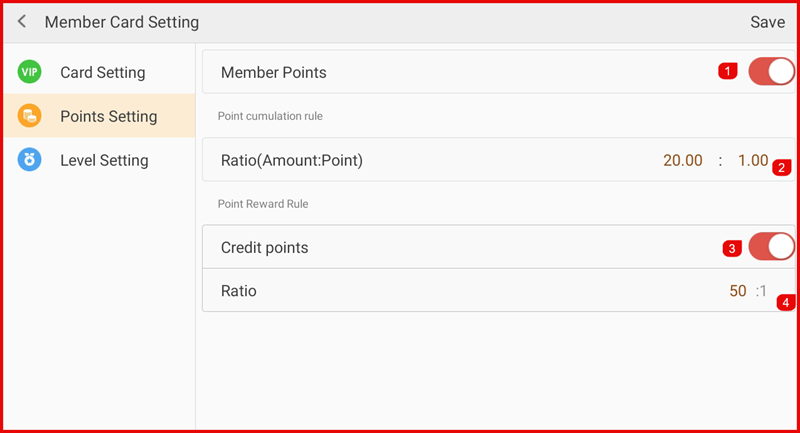
The Points Setting tab controls how members earn and redeem points.
- Member Points (①) — Toggle ON to enable the points programme for members.
- Point cumulation rule — Ratio (Amount:Point) (②) — Sets how many points are earned per amount spent (e.g. every RM20.00 spent earns 1 point).
- Credit points (③) — Toggle ON to allow members to redeem points as payment credit.
- Ratio (④) — Sets the point-to-credit redemption rate (e.g. 50 points = RM1).
Tap Save to apply changes.
3. Level Setting
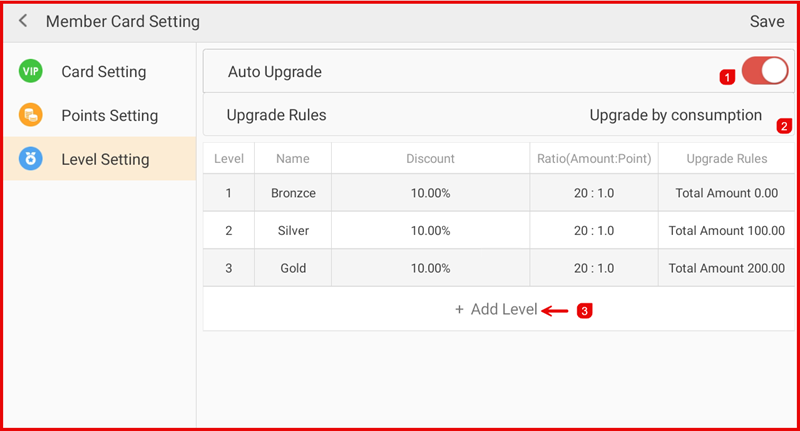
The Level Setting tab defines membership tiers and the rules for automatic upgrades.
- Auto Upgrade (①) — Toggle ON to automatically upgrade members when they meet the upgrade criteria.
- Upgrade Rules (②) — Choose the basis for upgrading (e.g. Upgrade by consumption).
- Level table — Displays each membership level with its Name, Discount, Ratio (Amount:Point), and Upgrade Rules (minimum total spend required). Default levels: Bronze (RM0), Silver (RM100), Gold (RM200).
- + Add Level (③) — Tap to create a new membership tier.
Tap Save to apply changes.