About Device
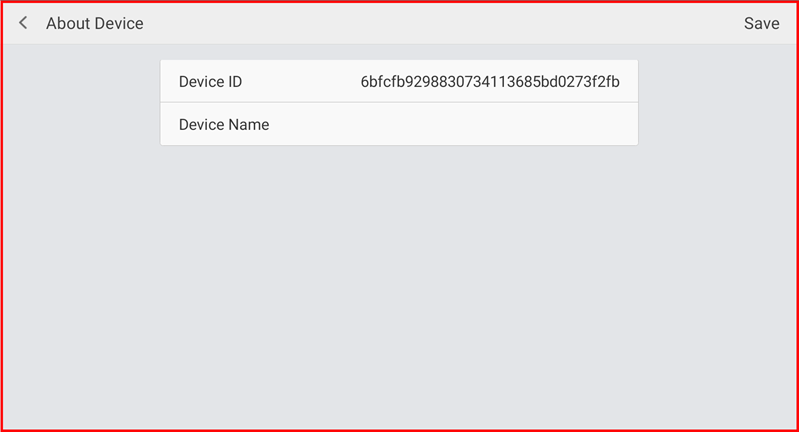
The About Device screen displays your device's unique identifier and allows you to set a custom device name. This helps distinguish multiple POS terminals in your store.
Step 1 — Navigate to About Device
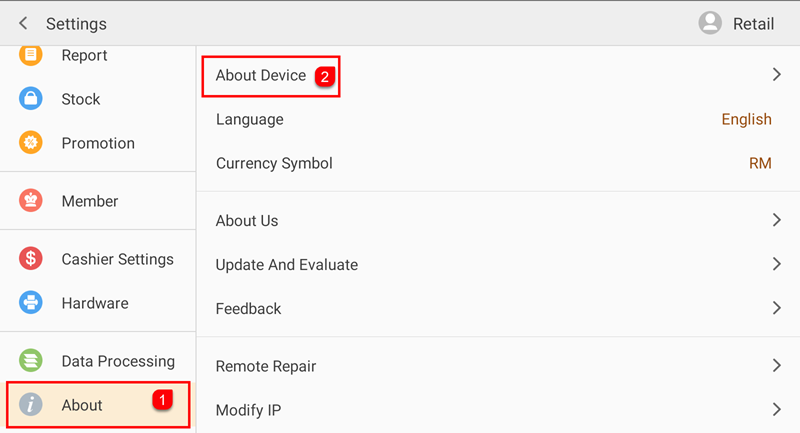
Tap Setting to open the Settings screen. In the left sidebar, tap About (①) to expand the About section. Then tap About Device (②) on the right panel.
Step 2 — View Device Info and Set Device Name
The About Device screen shows the Device ID (a unique system-generated identifier) and the Device Name field where you can enter a custom name for this terminal. Tap Save (top-right) to save any changes.