Step 1:
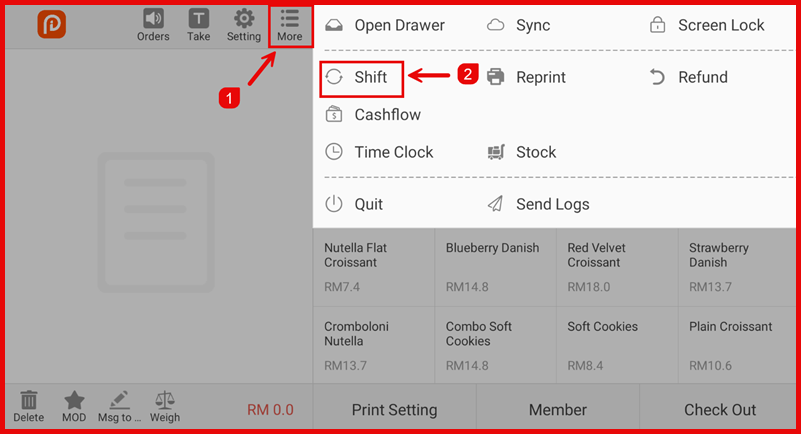
Tap More → select Shift.
Step 2 :
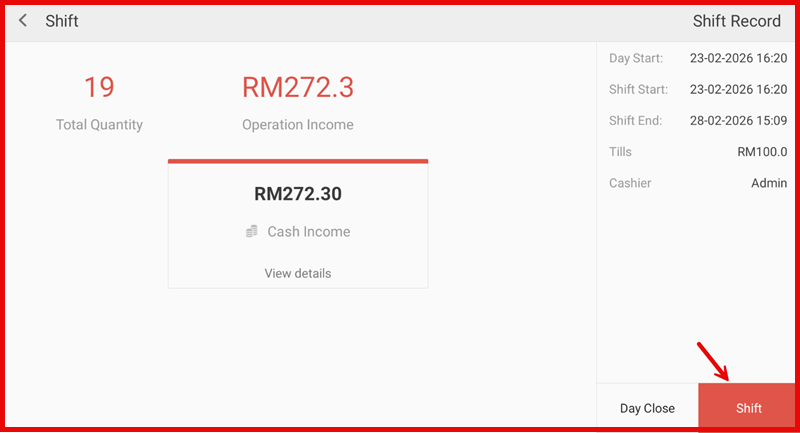
You can view shift details such as sales amount, cash income, and operation summary.
Then tap Shift to exchange shift.
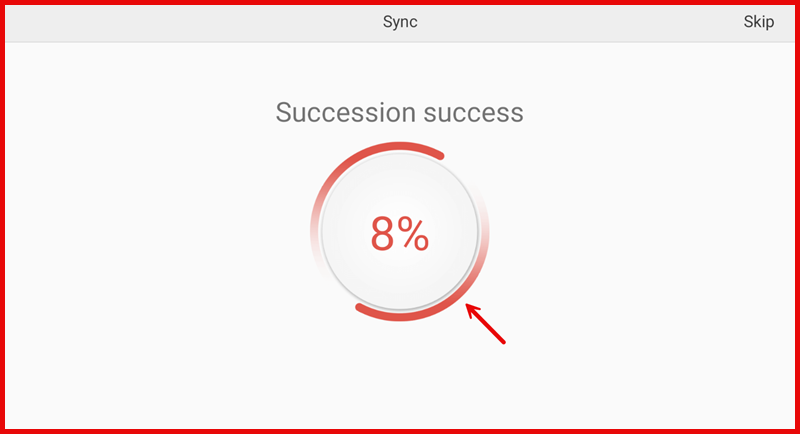
The system will perform data sync automatically.. Wait the sync finished
Step 3:
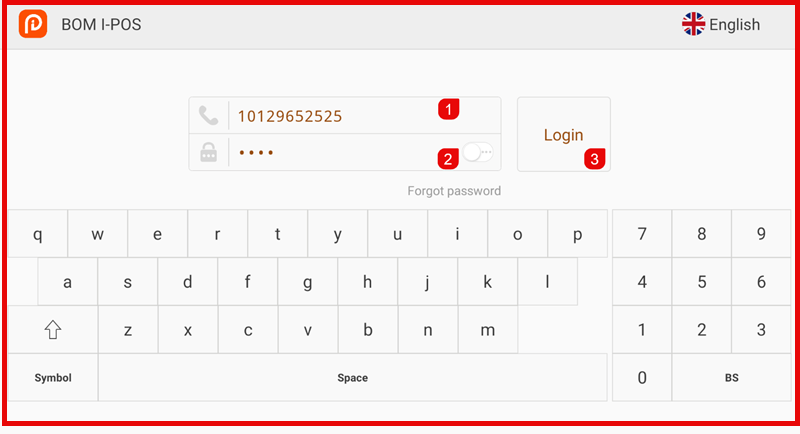
Enter the staff User ID / Password and tap Login.
The system will prompt for the next cashier login.
Step 4 :
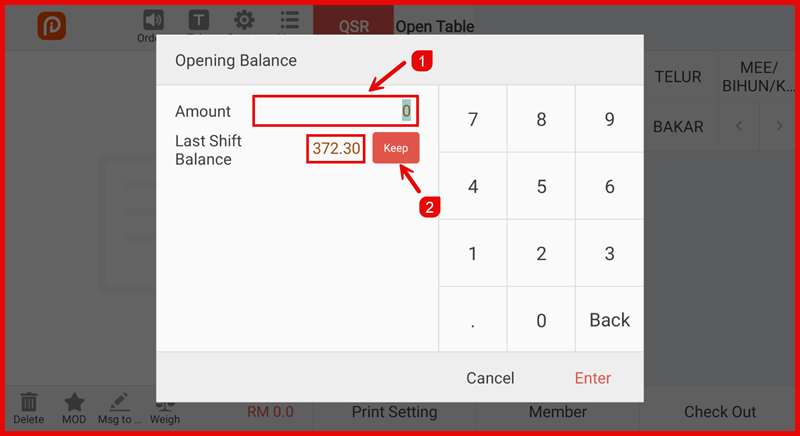
Enter the Opening Balance for the new shift.
- Tap Keep to use the last shift balance, or
- Enter a new amount, then tap Enter.