Step 1:
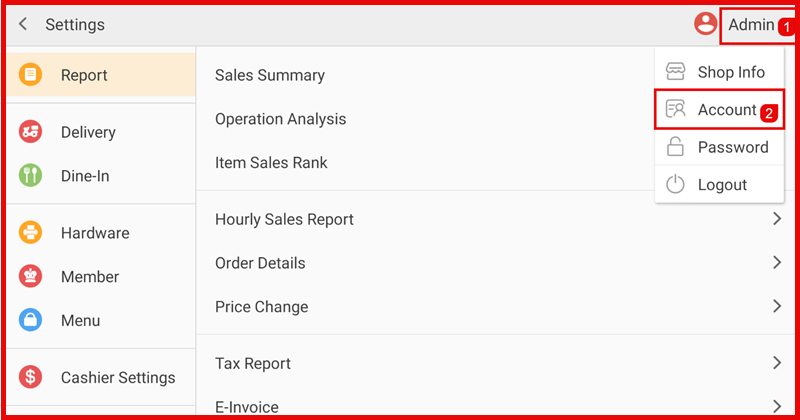
Go to Settings → tap Admin (top right) → select Account.
Step 2:
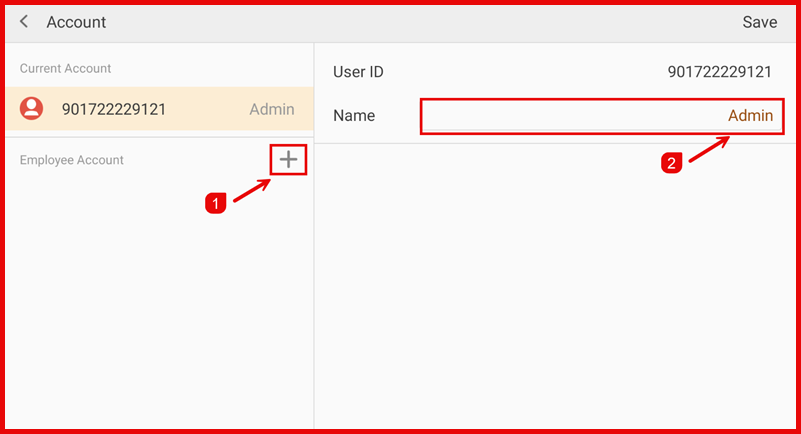
Under Employee Account, tap the + icon.
Step 3:
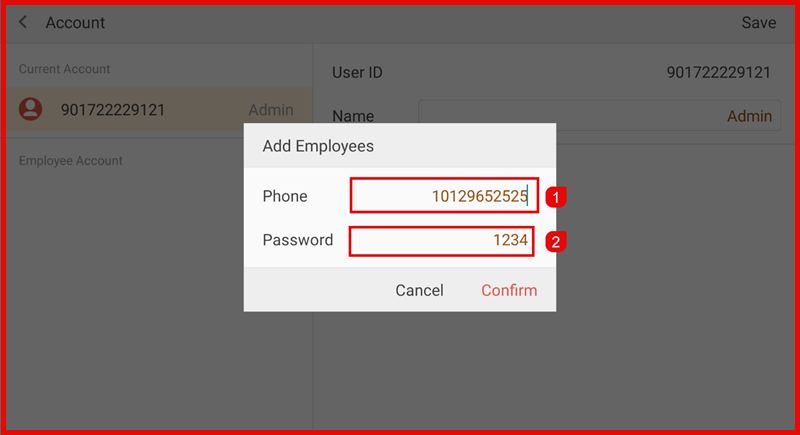
Enter employee details:
- Phone (User ID)
- Password
- Tap Confirm.
Step 4:
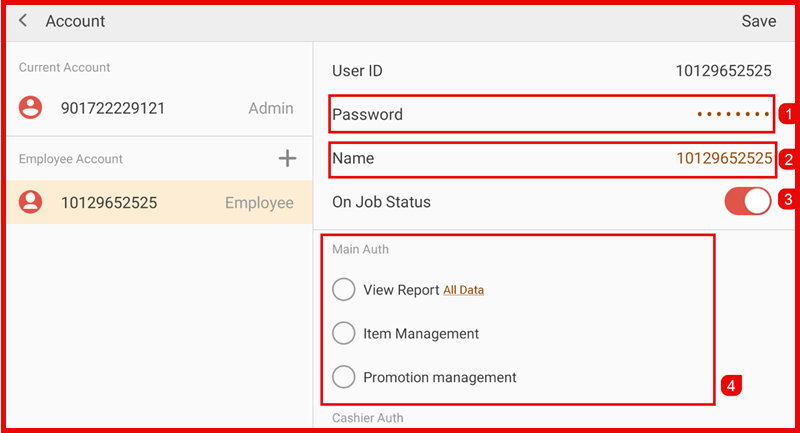
Select the new employee account and set:
- Name
- On Job Status (enable/disable)
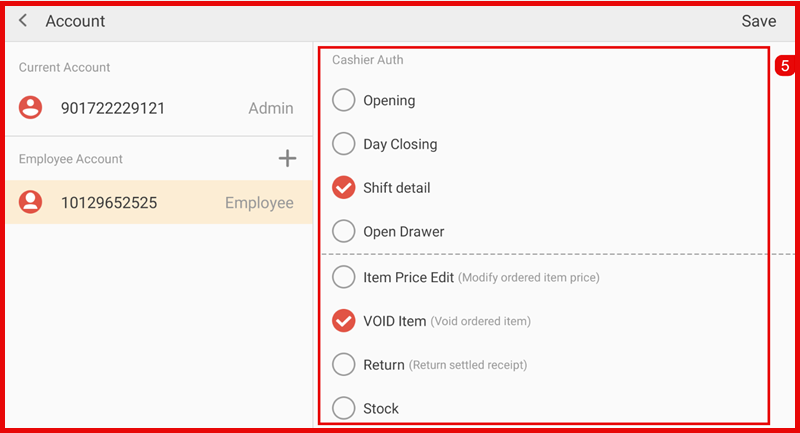
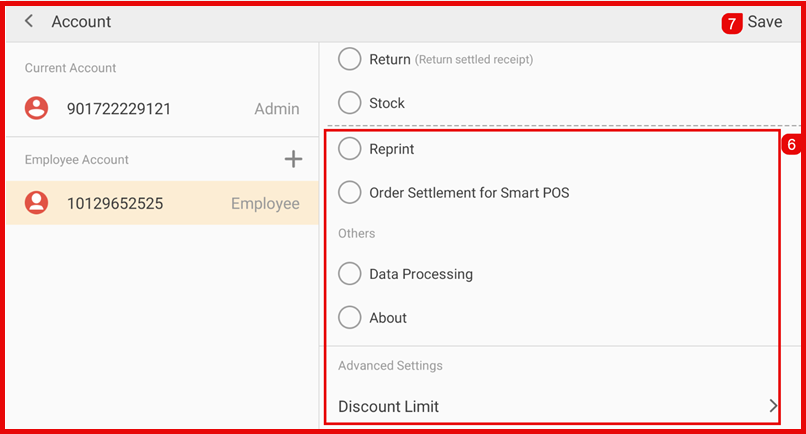
Assign required permissions, such as:
- View Report
- Item Management
- Promotion Management
- Opening / Day Closing
- Shift Detail
- Open Drawer
- Price Edit / Void / Return
- Stock / Reprint
- Data Processing / About
- Discount Limit (if needed)
Tap Save to apply changes.