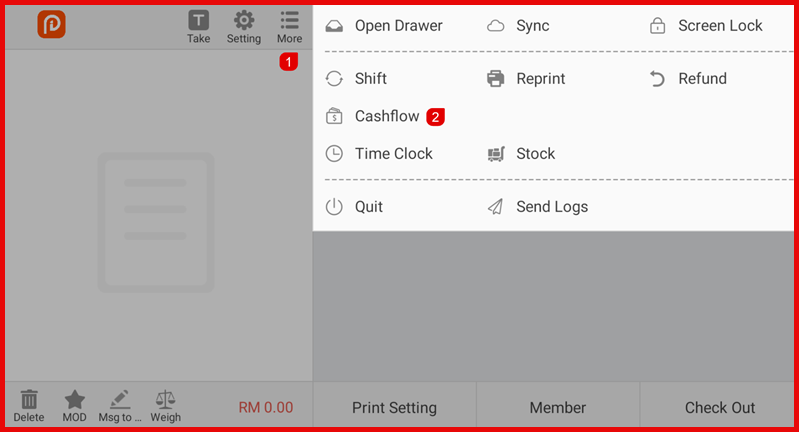
Step 1: Open Cashflow
Go to More > Cashflow.
Step 2: Create Cashflow Type (Optional)
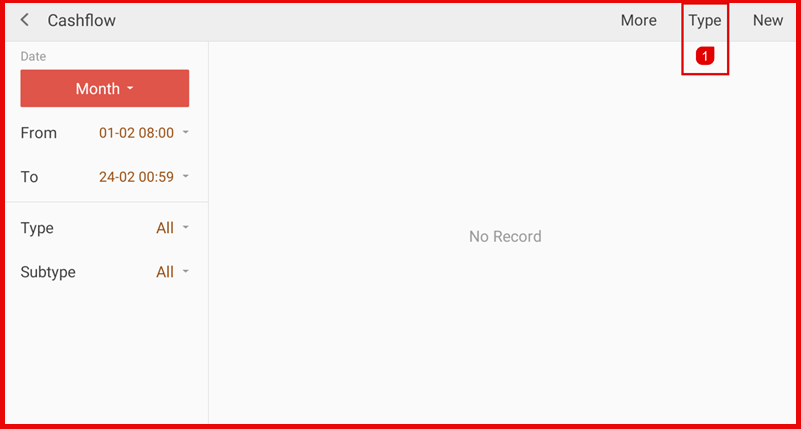
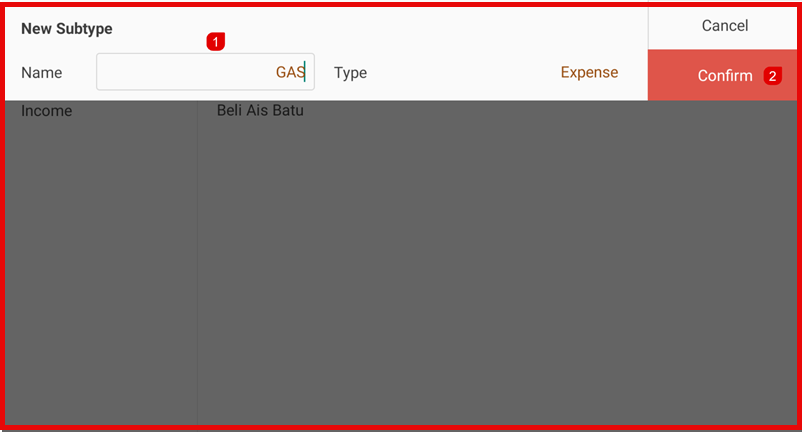
Tap Type → tap + to add a new subtype (e.g., Gas, Supplies).
Enter the name and select Income or Expense, then tap Confirm.
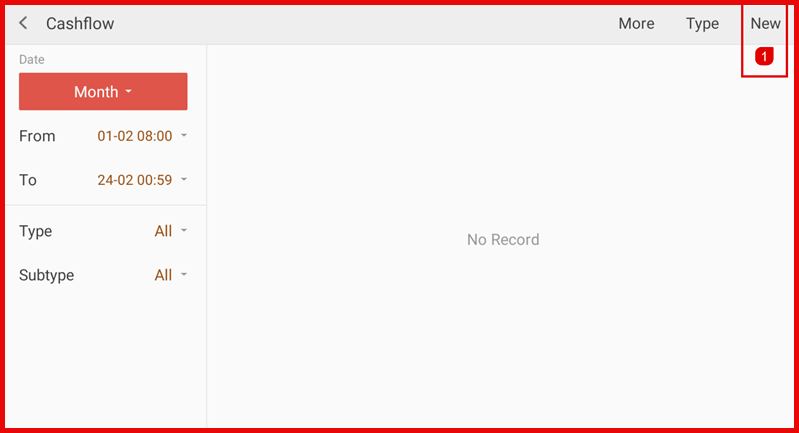
Step 3: Add New Record
Tap New.
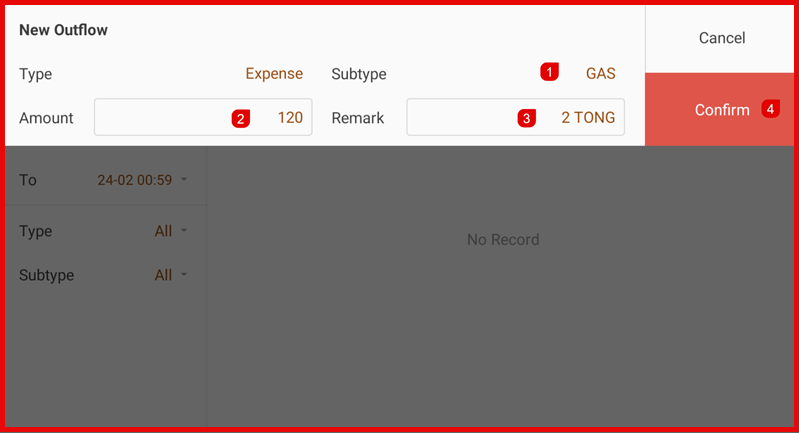
Step 4: Enter Details
Select Type (Income/Expense) and Subtype.
Enter the Amount and add a Remark if needed.
Tap Confirm to record the transaction.
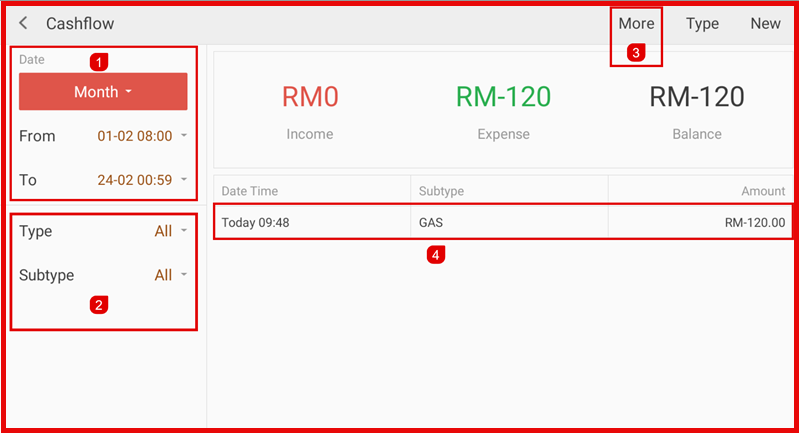
Step 5: View Records
Use the date and type filters to review cashflow history.
- Date time filter
- Type & subtype filter.
- More for print, sync & export.