Partial Payment
Partial Payment allows you to split a single bill across multiple payment methods — for example, part by DuitNow and the remaining balance by Cash. This is useful when a customer does not have enough in one payment method to cover the full amount.
Step 1: Select the Table and Tap Check Out
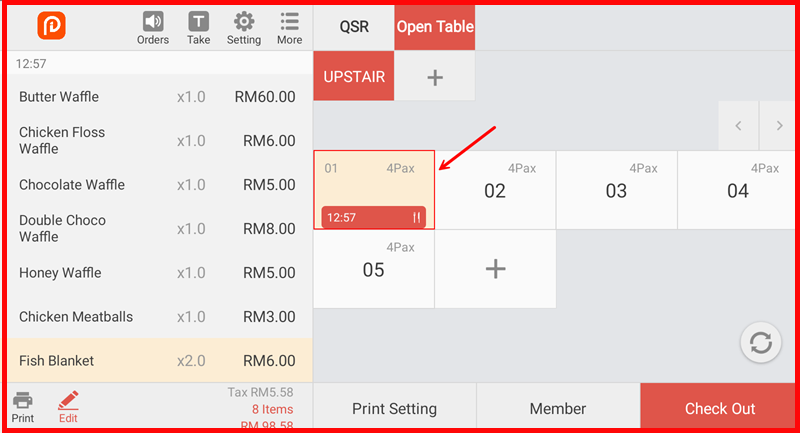
On the Open Table screen, tap the table you want to settle (e.g. UPSTAIR-01). The order details will appear on the left. Tap the Check Out button at the bottom right to proceed to the Settlement screen.
Step 2: Select the First Payment Method
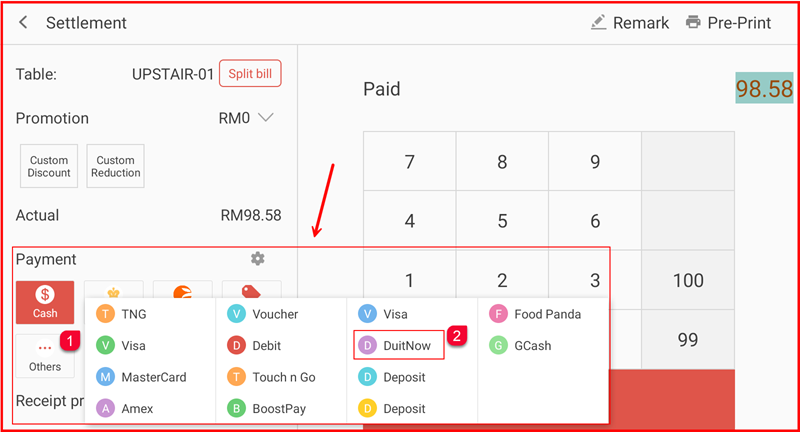
On the Settlement screen, the total Actual amount is shown (e.g. RM98.58). Tap Others ① (labelled ...) to expand all available payment options. Select DuitNow ② as the first payment method.
Step 3: Enter the Partial Amount for the First Method
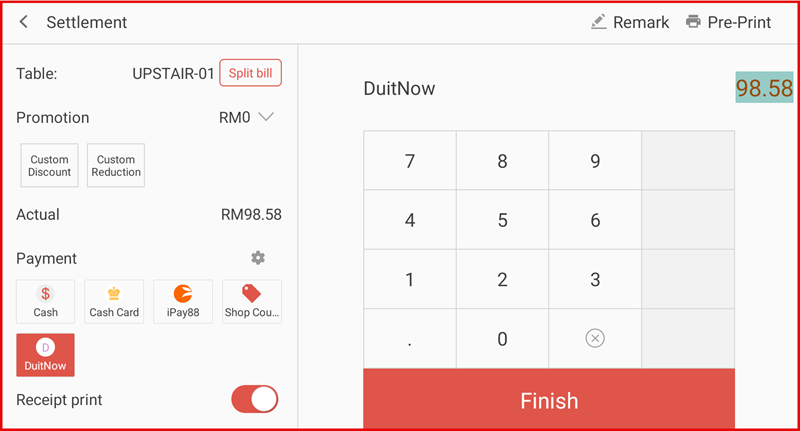
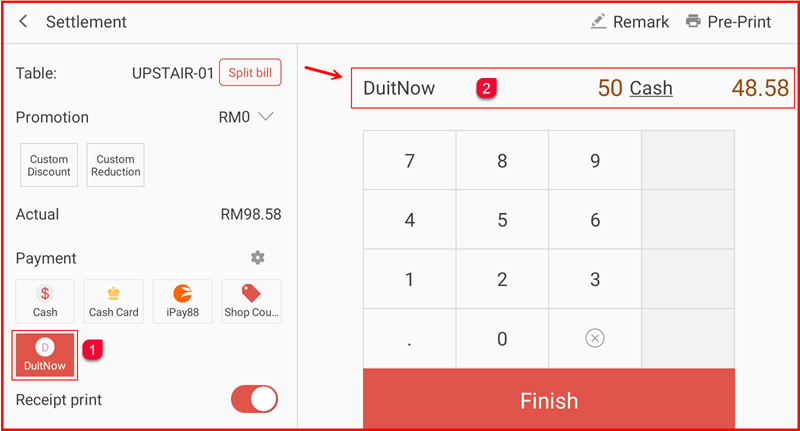
After selecting DuitNow, the numpad will appear with the full amount pre-filled (e.g. 98.58). Use the numpad to type the partial amount this customer is paying via DuitNow (e.g. 50). The remaining balance will be calculated automatically.
Step 4: Confirm the First Payment and View Remaining Balance
The payment summary bar at the top will update showing DuitNow: 50 | Cash: 48.58 ②. The DuitNow button on the left shows a badge ① indicating one partial payment has been recorded. Tap the second payment method — Cash — to proceed.
Step 5: Change the Second Payment Method if Needed
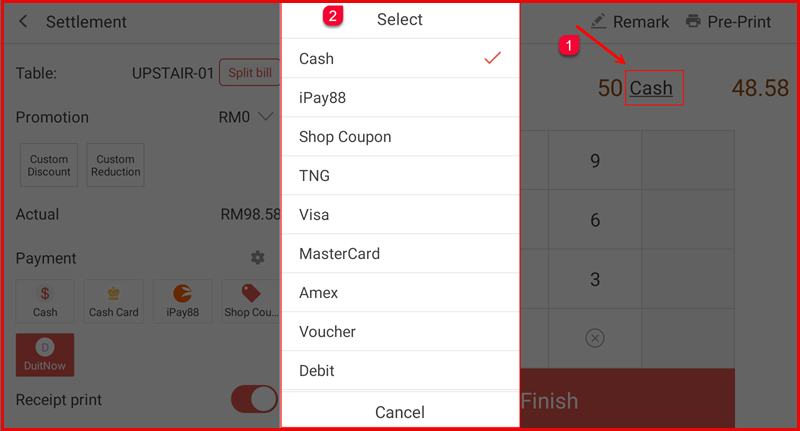
To change the second payment method, tap the payment method name ① in the summary bar (e.g. Cash). A Select dropdown ② will appear listing all available options — Cash, iPay88, Shop Coupon, TNG, Visa, MasterCard, Amex, Voucher, Debit and more. Select the desired method or tap Cancel to keep the current selection.
Step 6: Confirm the Remaining Balance and Tap Finish
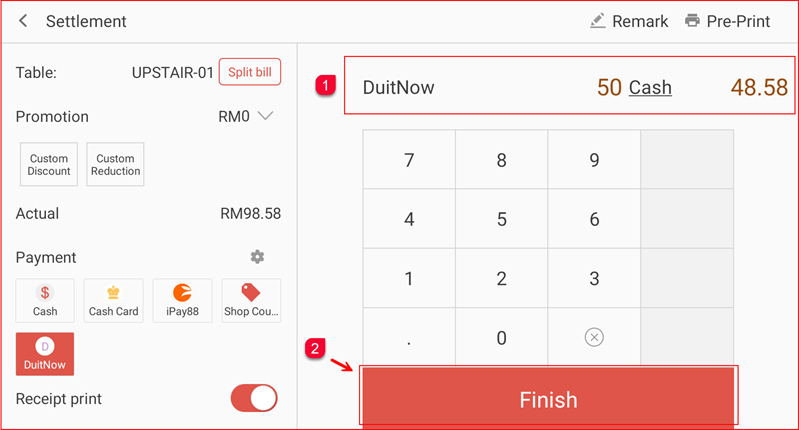
The summary bar confirms the full split ①: DuitNow: 50 | Cash: 48.58 totalling RM98.58. Tap the Finish button ② to complete the transaction.
Step 7: Review the Order Receipt
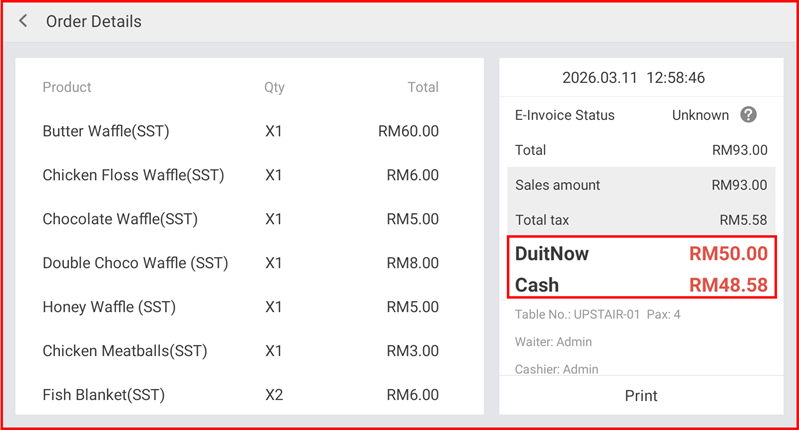
The Order Details screen will appear showing the full itemised bill and the payment breakdown confirming both methods used:
- DuitNow: RM50.00
- Cash: RM48.58
Tap Print to print the receipt if needed.