Step 1: Open Reprint Menu
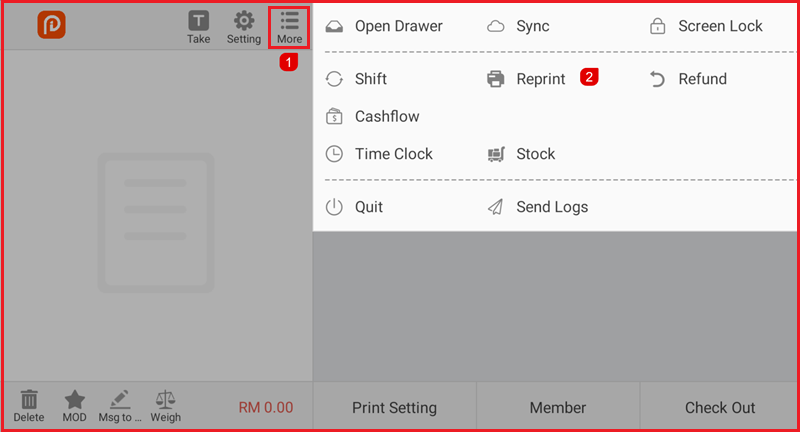
- From the POS main screen, tap More.
- Select Reprint.
Step 2: Select an Order
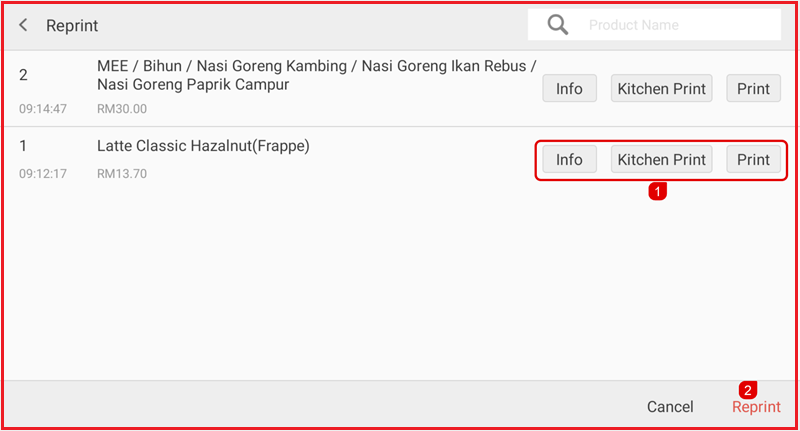
- The transaction list will be displayed.
- Find and select the order you want to reprint.
Step 3: Choose Print Type
Select one of the following options:
- Info – View order details.
- Kitchen Print – Reprint the kitchen slip.
- Print – Reprint the customer receipt.
Step 4: Reprint
Tap Reprint to print the selected order again.