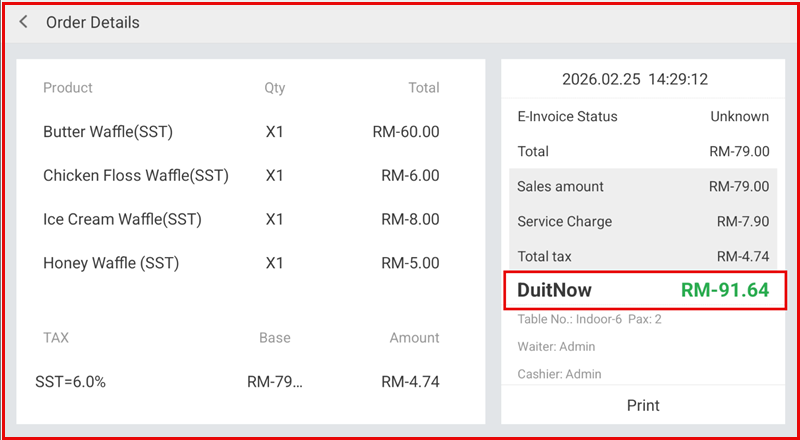
Refunding Bills - Item
Process refunds for specific items within a bill without cancelling the entire transaction. This allows accurate adjustment of sales records and ensures proper refund tracking.
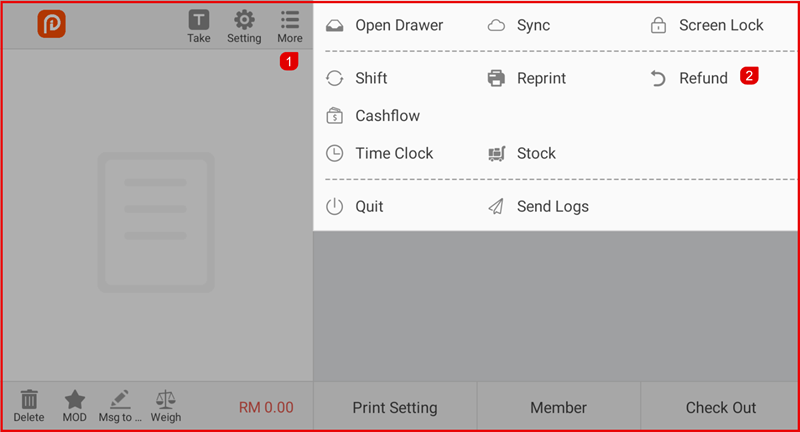
Step 1: Open Refund
Go to More > Refund.
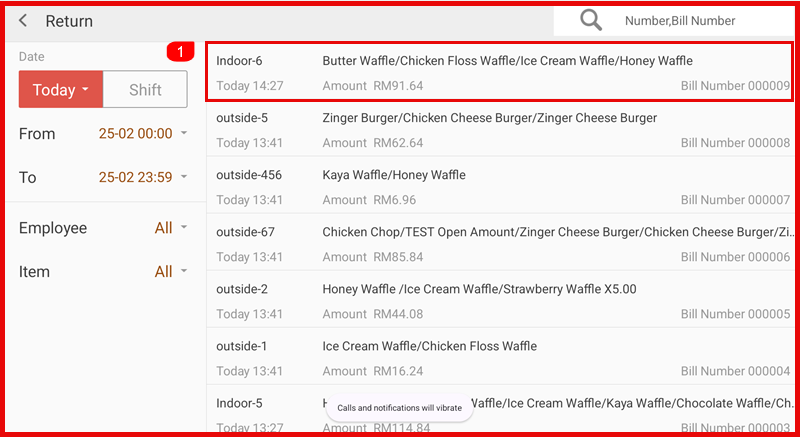
Step 2: Select Bill
Search or select the bill that you want to refund.
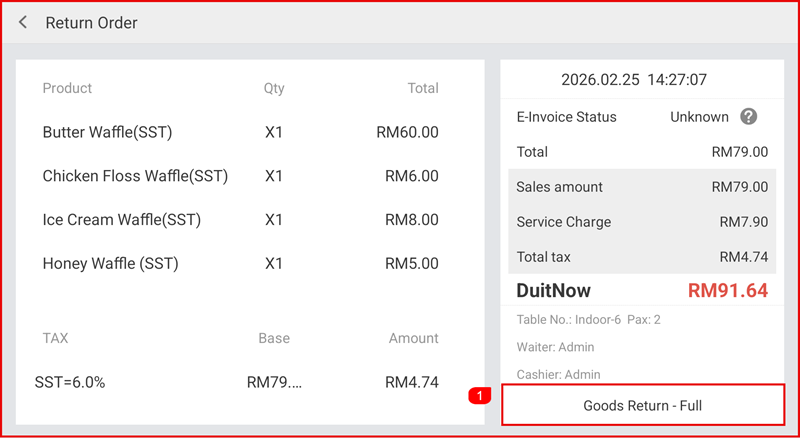
Step 3: Return Full Bill
Click Goods Return – Full.
Step 4: Select Refund Method
Choose the refund method (Cash or QR Now).
Click Confirm.
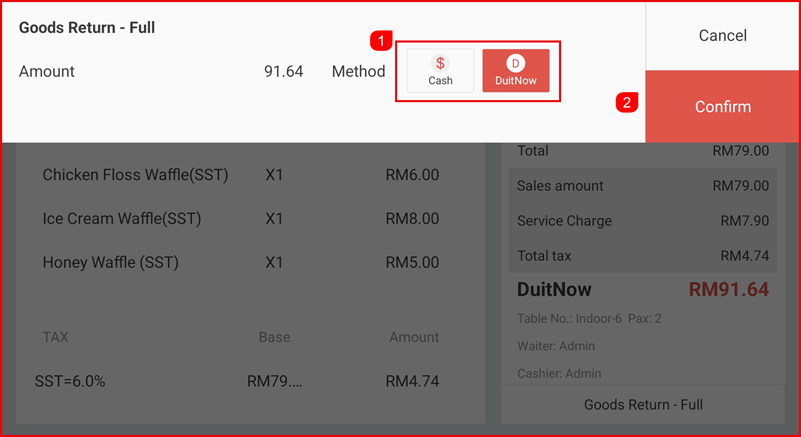
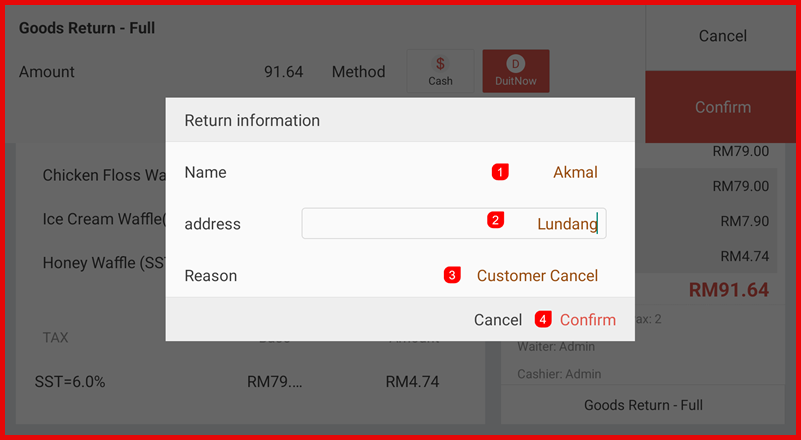
Step 5: Enter Return Information
Fill in:
- Customer Name
- Address (optional)
- Reason for return
- Click Confirm.
Step 6: Refund Completed
The Bill Refund status will show Order Details Report.