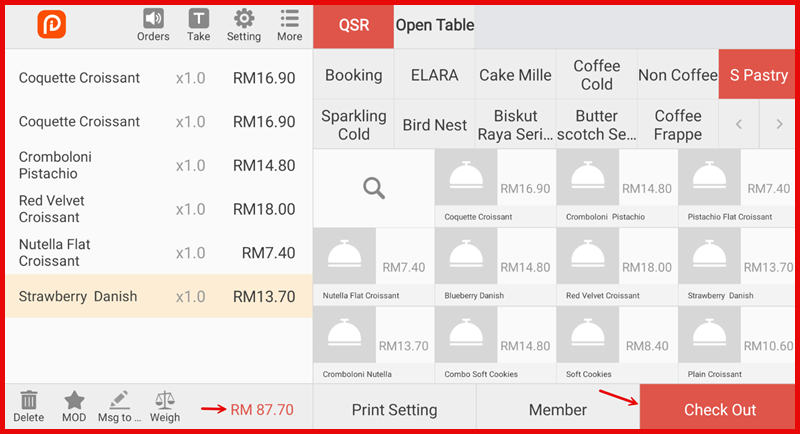
Step 1: Make Transaction & checkout
From the order screen, tap Check Out.
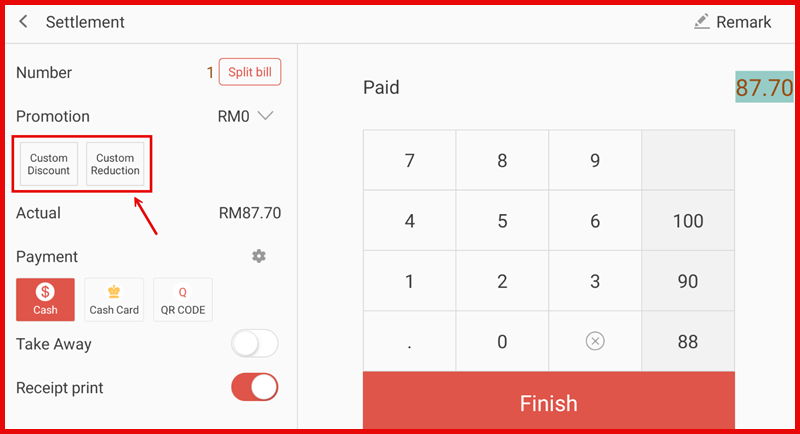
Step 2: Apply the discount
At the Settlement screen, choose one of the following:
- Custom Discount – apply discount by percentage (%)
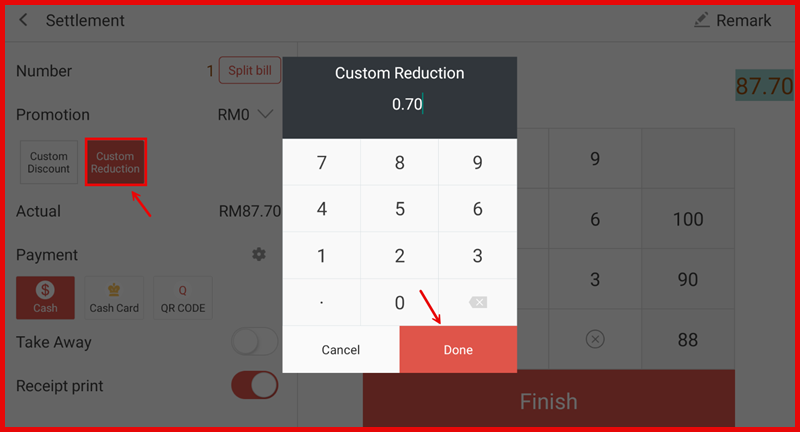
- Custom Reduction – deduct a fixed amount (RM)
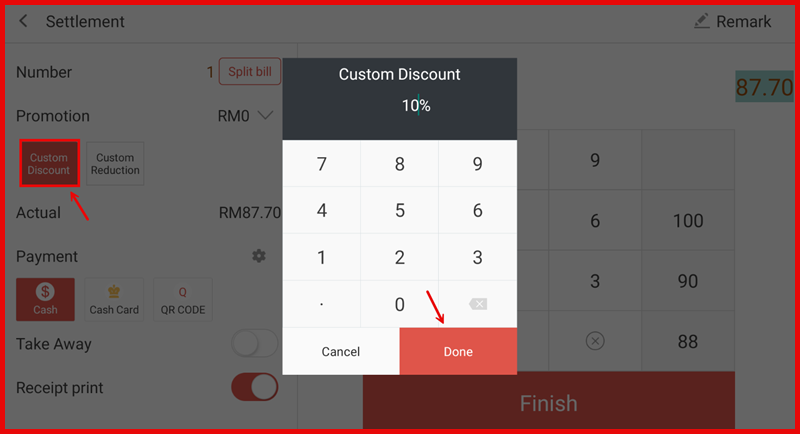
Step 3: Enter discount rate
Enter the discount value using the keypad.
Tap Done to confirm.
Custom Discount
Custom Reduction
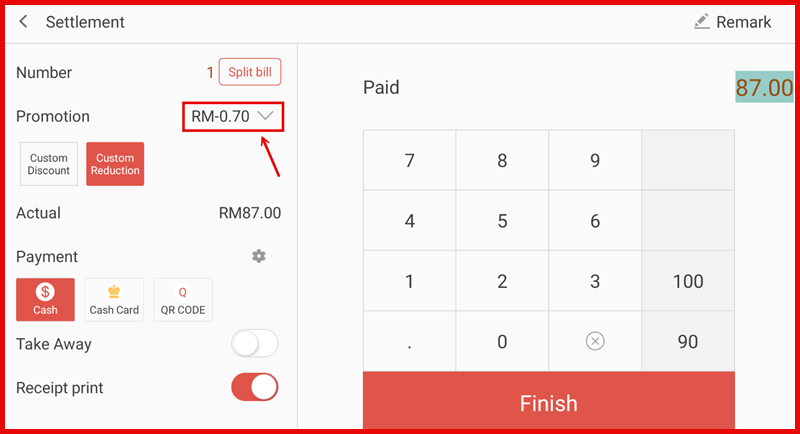
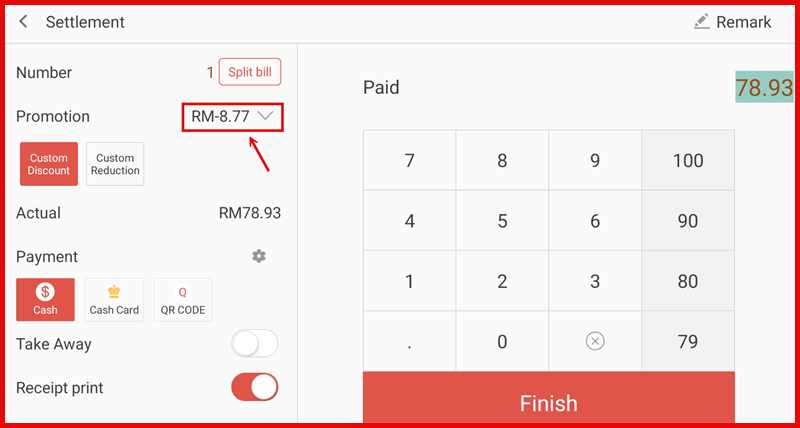
Step 5: Finished the payment after discount
The updated total will be reflected under Actual.
Select the payment method and tap Finish to complete the transaction.
Custom Discount
Custom Reduction