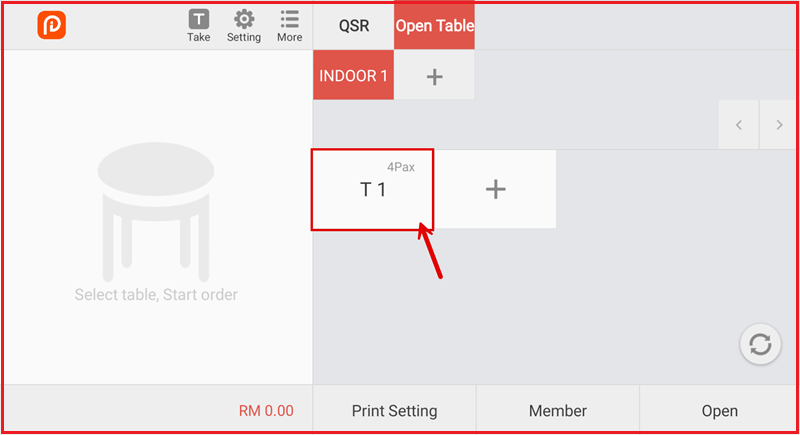
Creating an Open Table
Follow these steps to create and process customer orders efficiently.
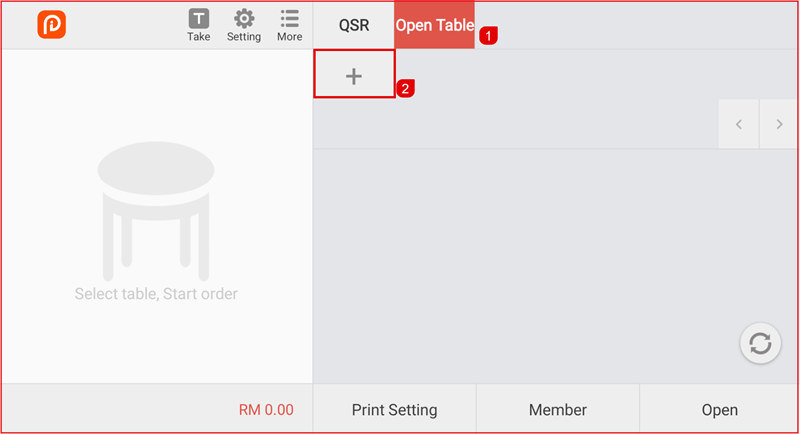
Step 1: Open the Open Table Module
- Go to the Open Table menu in the system.
- Click the + icon to add the table group name.
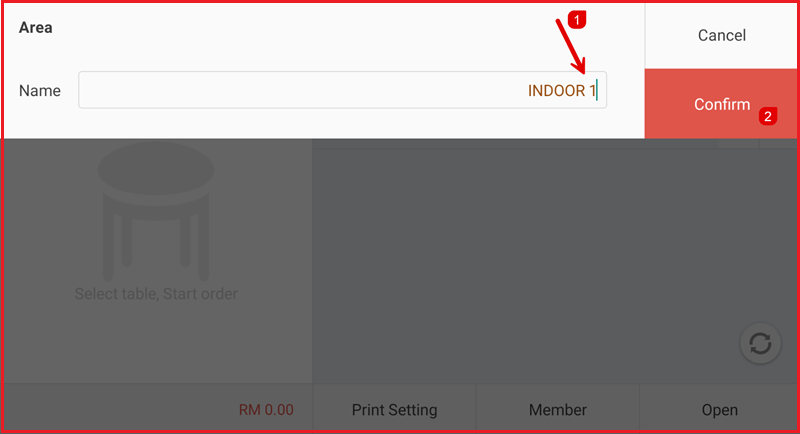
Step 2: Set the Table Group Name
- Enter the table group name.
- Click the Confirm button.
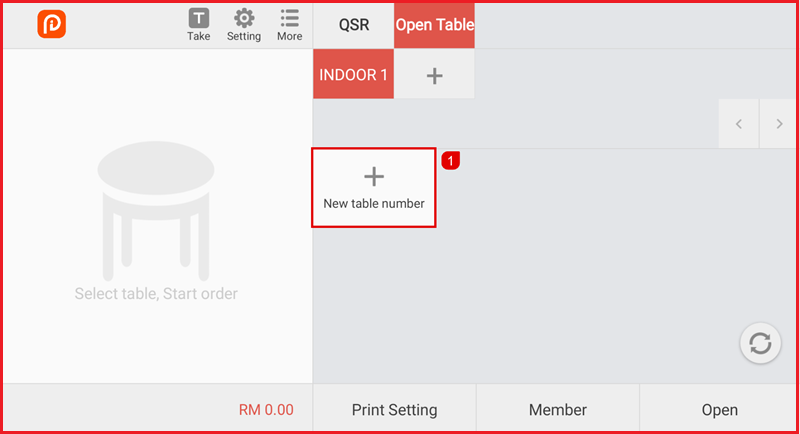
Step 3: Create the table.
- Click the ‘+’ icon to add a new table.
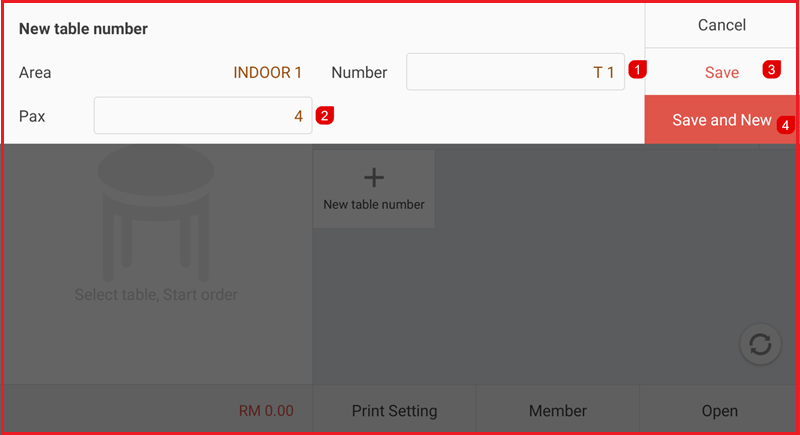
Step 4: Enter Table details.
- Enter the table number.
- Enter the number of guests (Pax).
- Click the Save button to save the table.
- Click Save and New to create the next table.
Step 5: Table Display
The table will appear in the Open Table list after it is created.