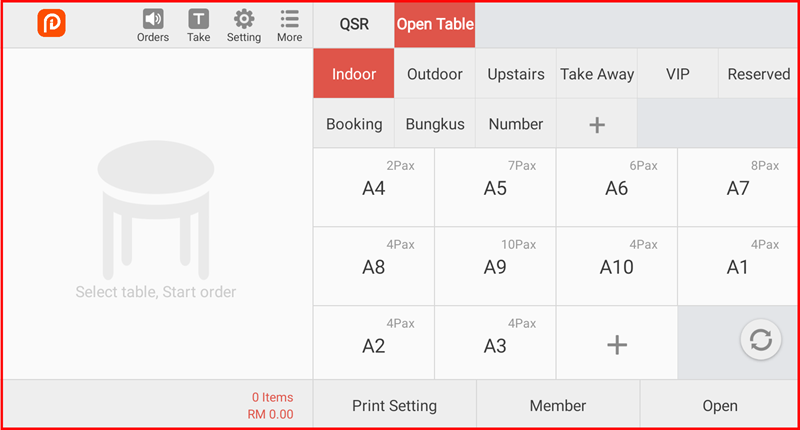
Empty Table
The Empty Table feature clears all orders from an active table and resets it to an empty state, without processing a checkout. Use this when you need to cancel all items on a table.
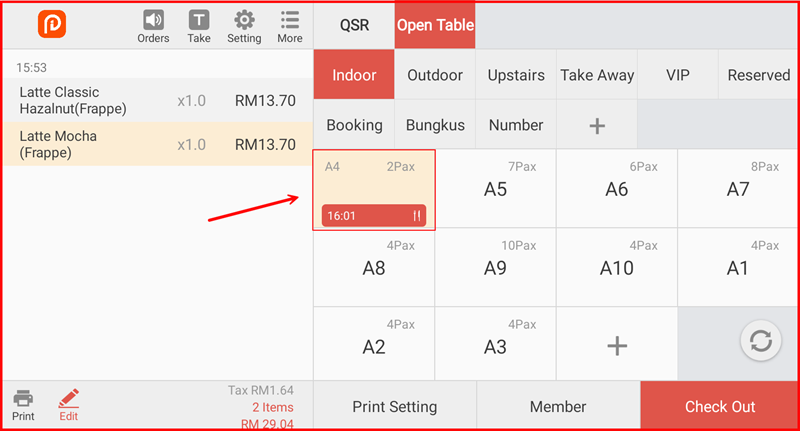
Step 1: Select the Active Table
On the Open Table screen, tap the active table you want to empty (shown with a timer and order indicator, e.g. A4).
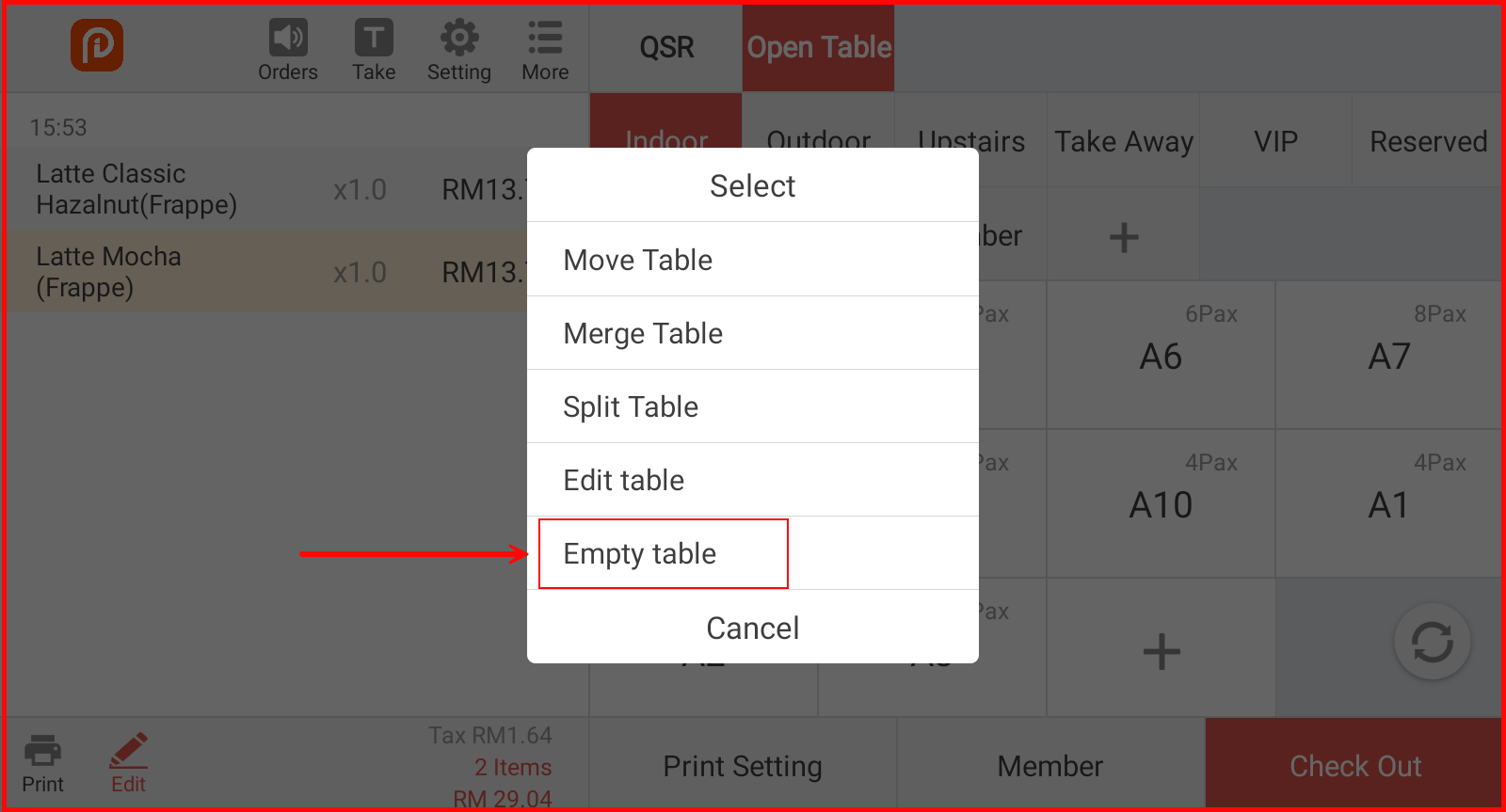
Step 2: Tap "Empty table"
A popup menu will appear. Tap Empty table.
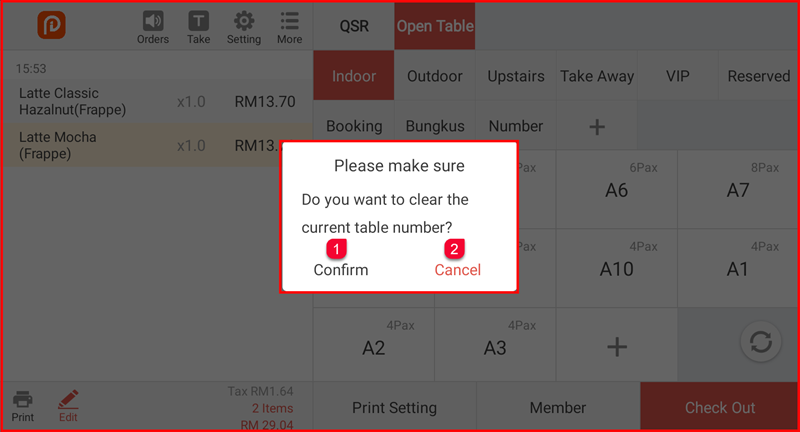
Step 3: Confirm the Action
A confirmation dialog will appear: "Please make sure — Do you want to clear the current table number?"
- Tap Confirm ① to clear the table
- Tap Cancel ② to go back without making changes
Step 4: Table Cleared
The table is now empty and reset to its default state. All orders have been removed and the table is ready for new guests.