Edit & Delete Table
The Table Management feature under Open Table settings allows you to edit existing table details or delete a table entirely.
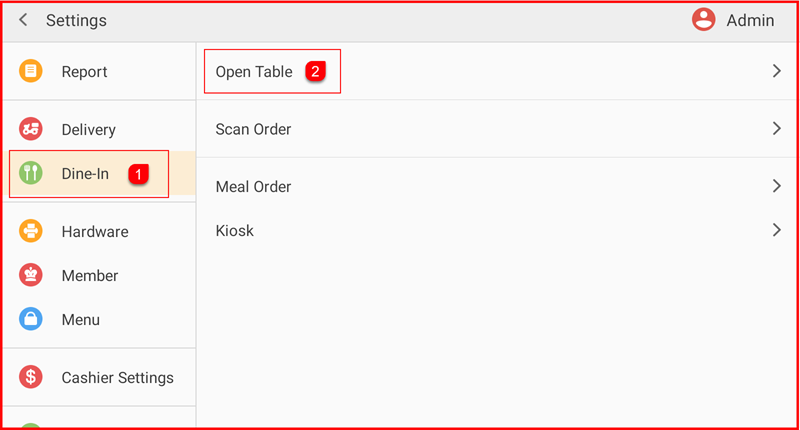
Step 1: Go to Settings > Dine-In > Open Table
From the Settings menu, tap Dine-In ①, then tap Open Table ② from the right panel.
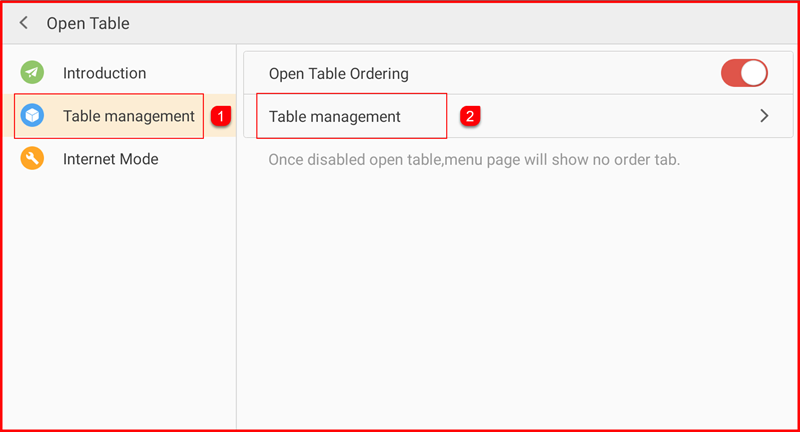
Step 2: Open Table Management
Inside the Open Table settings, tap Table management ① on the left, then tap Table management ② on the right to open the table list.
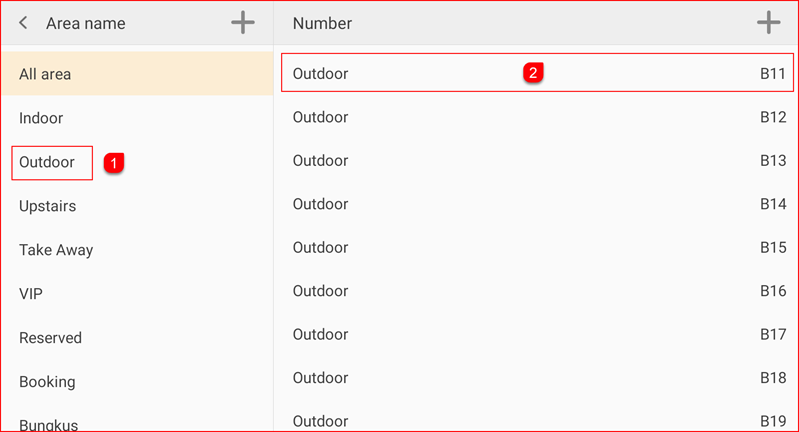
Step 3: Select the Table to Edit
The table management screen displays all areas on the left and their tables on the right. Select an Area ① (e.g. Outdoor), then tap the table you wish to edit ② (e.g. B11).
Step 4: Edit or Delete the Table
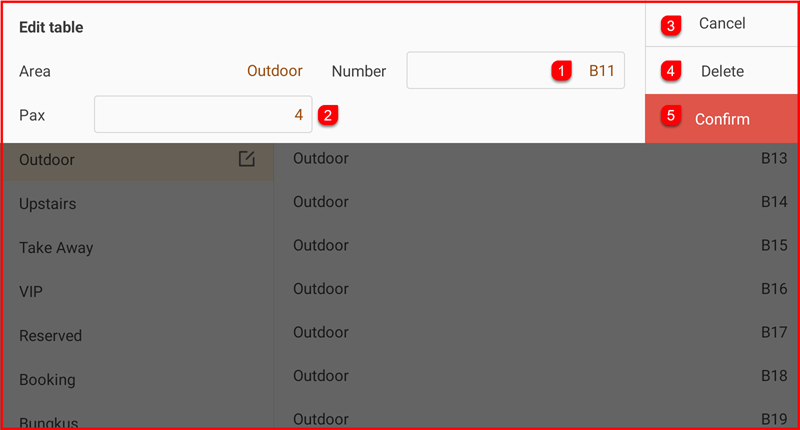
An Edit table panel will appear at the top with the following options:
- Number ① – edit the table number (e.g. B11)
- Pax ② – edit the seating capacity for the table
- Cancel ③ – discard changes and close the panel
- Delete ④ – permanently remove the table
- Confirm ⑤ – save your changes
Make the necessary changes and tap Confirm to save, or tap Delete to remove the table.