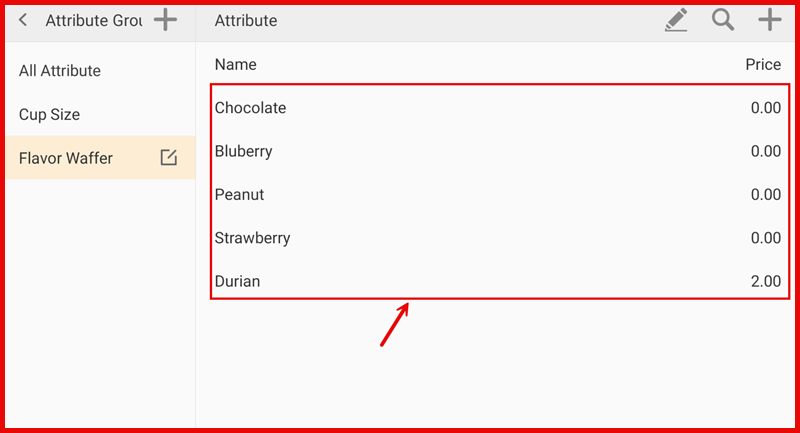
Attribute Type Create
Step 1 : Open Attribute Group
Go to Settings > Menu > Attribute Group.
Select the Attribute Group (e.g., Cup Size or Flavor).
Tap the “+” icon at the top right to add a new Attribute Type.
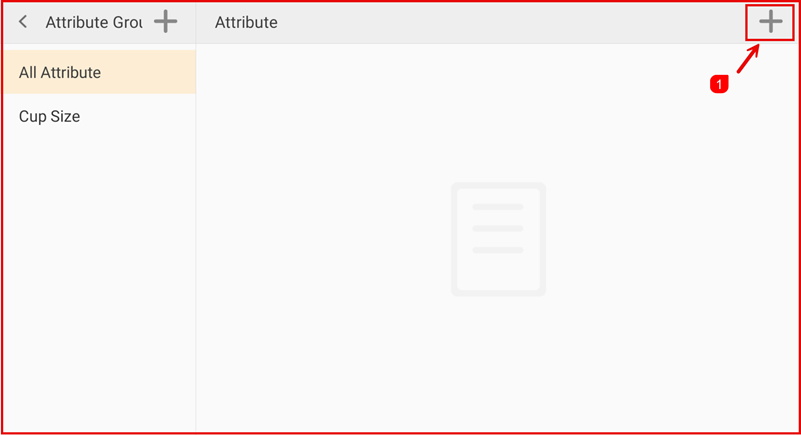
Step 1 : Open Attribute Group
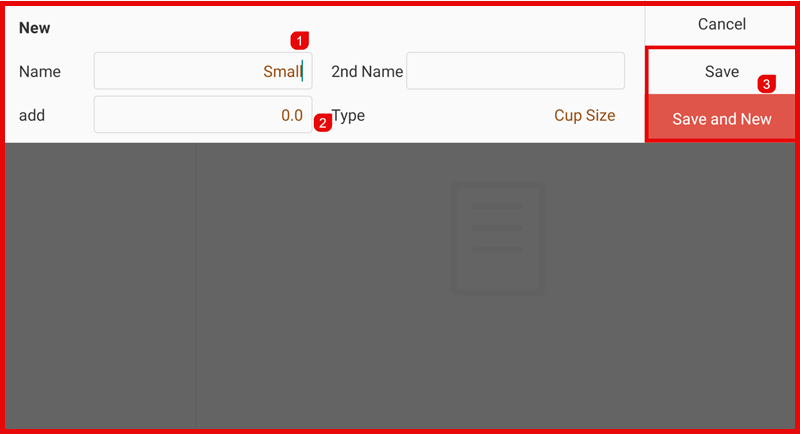
Enter the details:
- Name (e.g., Small, Medium, Large)
- Additional Price (if any)
- Tap Save to add the attribute.
(Or tap Save and New to add another.)
Result:
The new Attribute Type will appear in the selected Attribute Group and can be used for menu items.