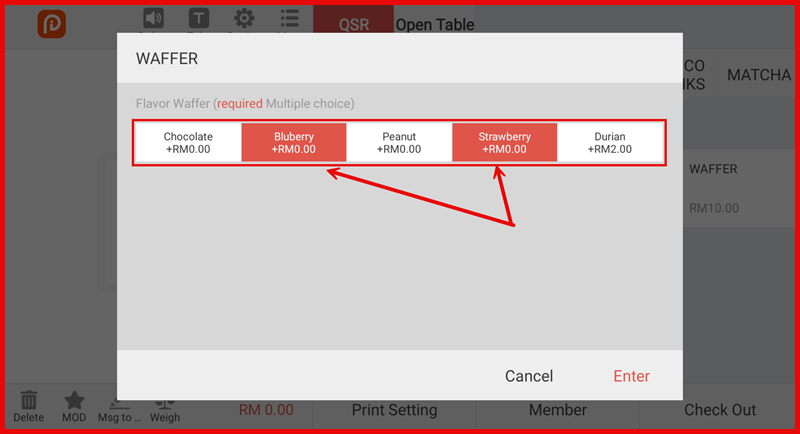
Item Attribute Apply
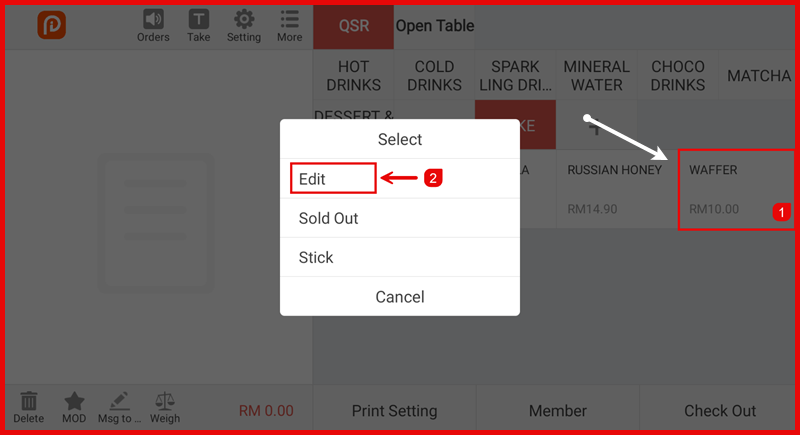
Step 1: Open Item Edit
On QSR page, Long press the item on the POS screen, then tap Edit.
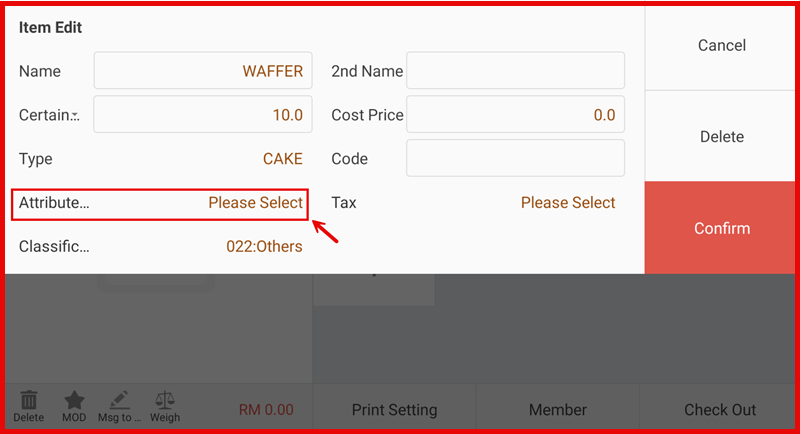
Step 2: Select Attribute
In the Item Edit screen, tap Attribute – Please Select.
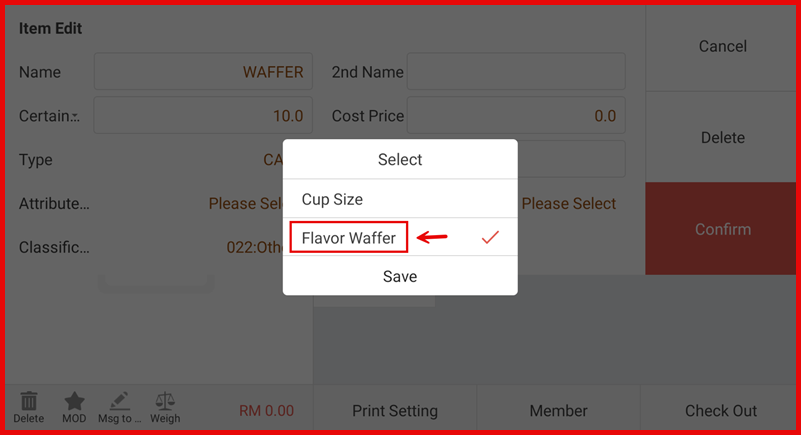
Step 3: Choose Attribute Group
Select the required Attribute Group (e.g., Cup Size, Flavor Waffer), then tap Save.
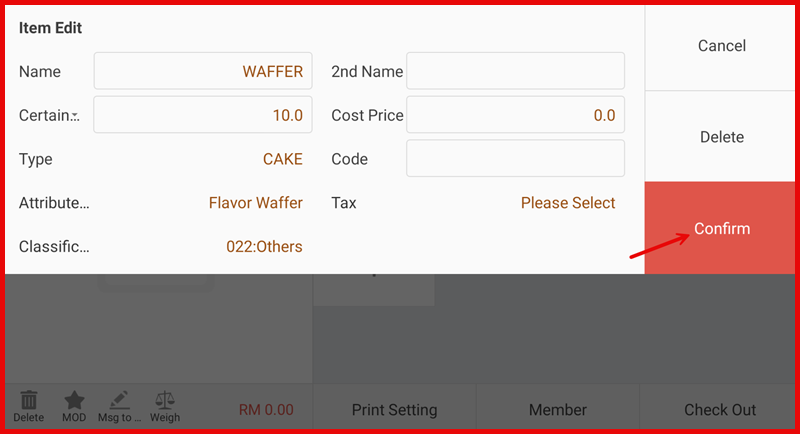
Step 4: Confirm Changes
Tap Confirm to apply the attribute to the item.
Step 5: Test During Order
When the item is selected during a sale, the attribute options will appear for selection.