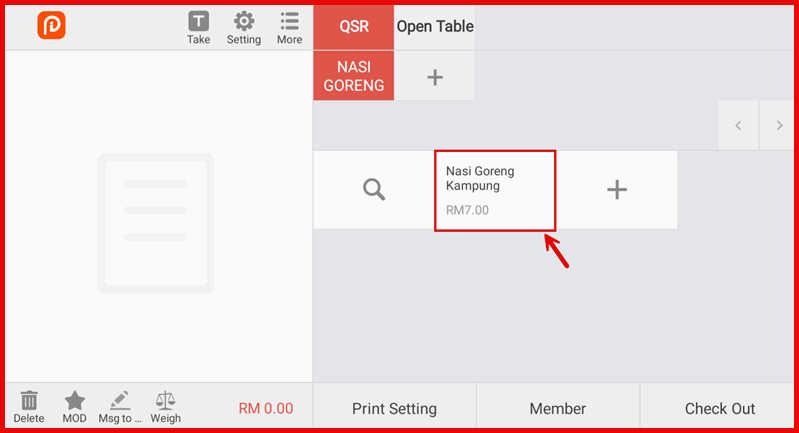
Add Item
Add item in menu.
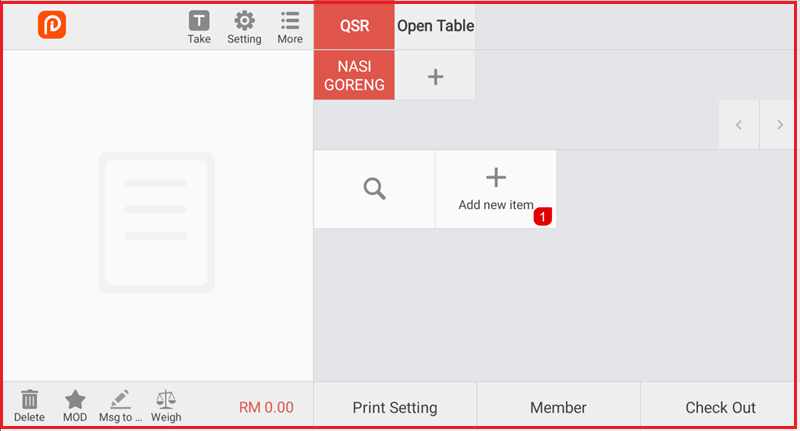
1. Select Category
Choose the category (e.g., NASI GORENG).
- Click Add new item or the ‘+’ button.
2. Create New Item
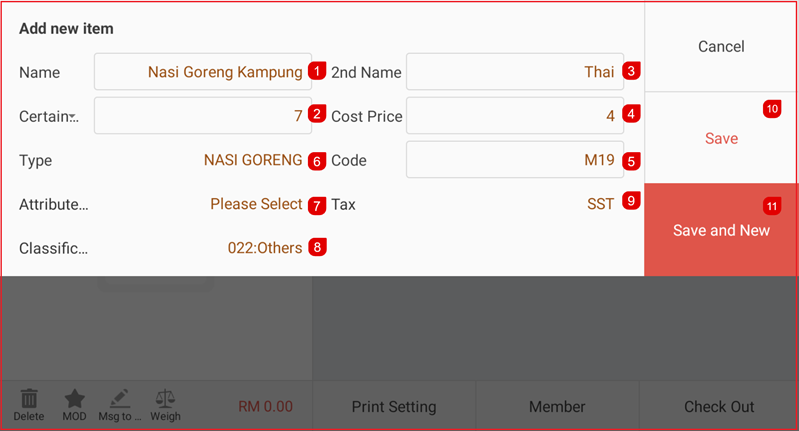
Fill in the required information:
- Item Name
- 2nd Name (optional)
- Selling Price
- Cost Price (if applicable)
- Item Code (if applicable)
- Type / Category
- Attribute (if applicable)
- Tax (if applicable)
- Classification (if applicable)
4. Save
Click Save to create the item.
Or click Save and New to add another item.
5. Item Created
The new item will appear under the selected category.