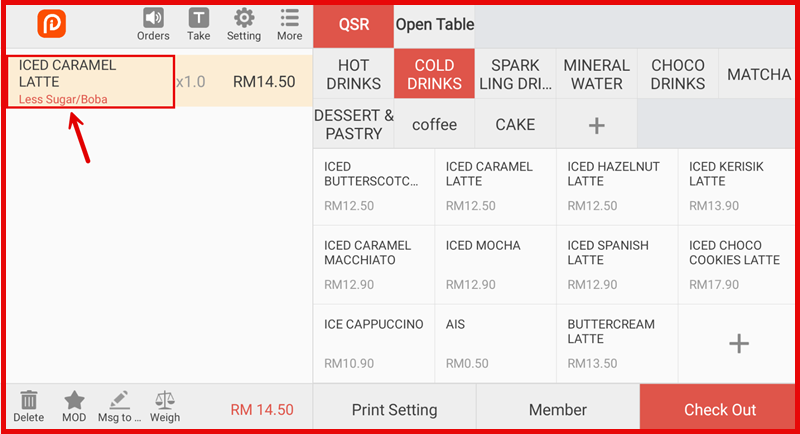
Create Modifier
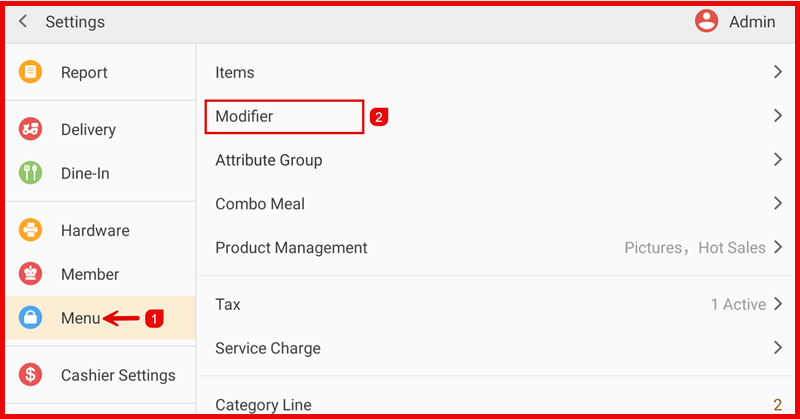
Step 1 : Open Modifier
Go to Settings > Menu > Modifier.
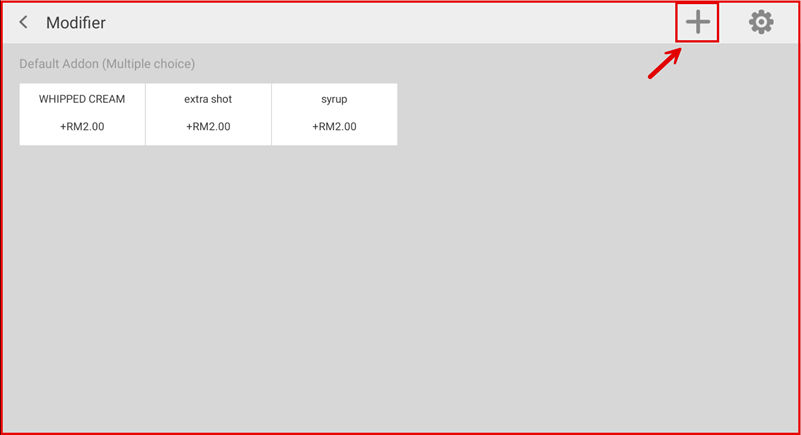
Step 2 : Add Modifier
Tap the “+” icon to add a new modifier.
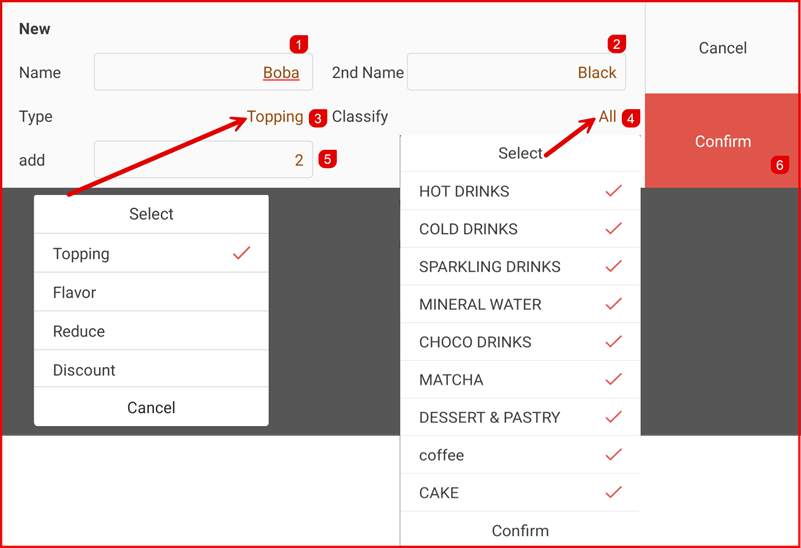
Step 3 : Enter Modifier Details
- Enter the Modifier Name and optional 2nd Name.
- Select the Type:
- Topping (add-on with price)
- Flavor
- Reduce (price reduction)
- Discount
3. Choose Classify to apply the modifier to specific categories or select All.
4. Enter the price/add/reduce value if applicable.
5. Tap Confirm to save.
Result:
The modifier will appear in the modifier list and can be applied to items during ordering.