Step 1:
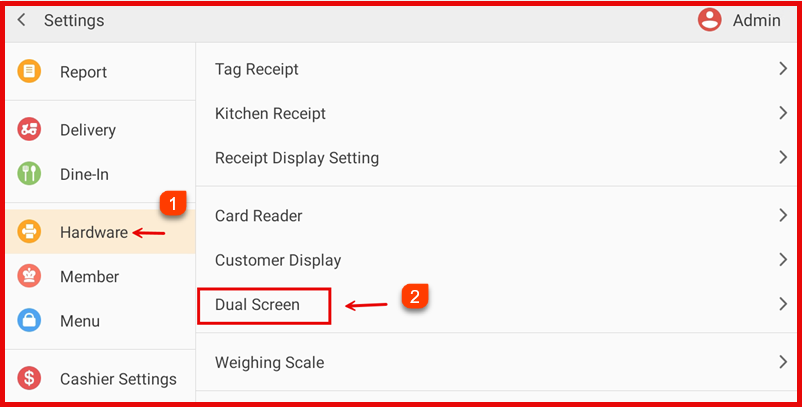
Go to Settings > Hardware > Dual Screen.
Step 2:
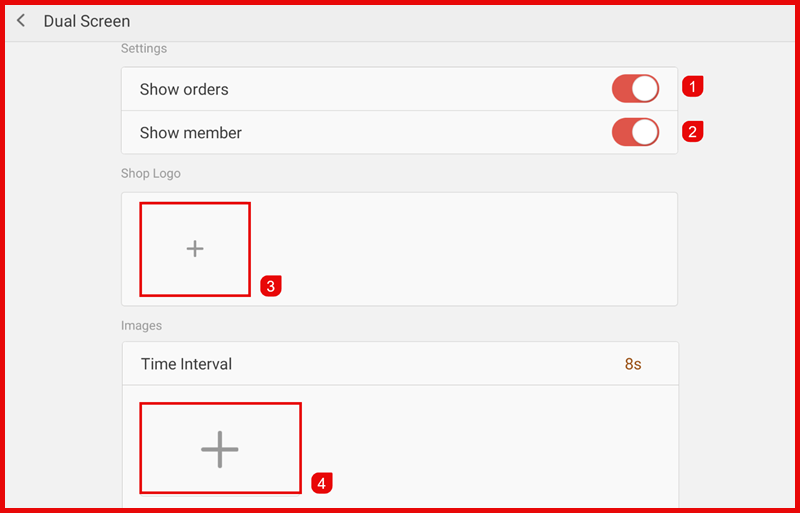
Enable the required display options:
- Show Orders – Display current order details on the customer screen.
- Show Member – Display member/customer information (if available).
- Add Shop Logo
- Tap the + icon under Shop Logo.
- Select and upload your logo.
- Add promotional Images
- Tap the + icon under Images.
- Upload images to display on the customer screen.
- Set Time Interval . Adjust the display interval (e.g., 8 seconds) for image rotation.