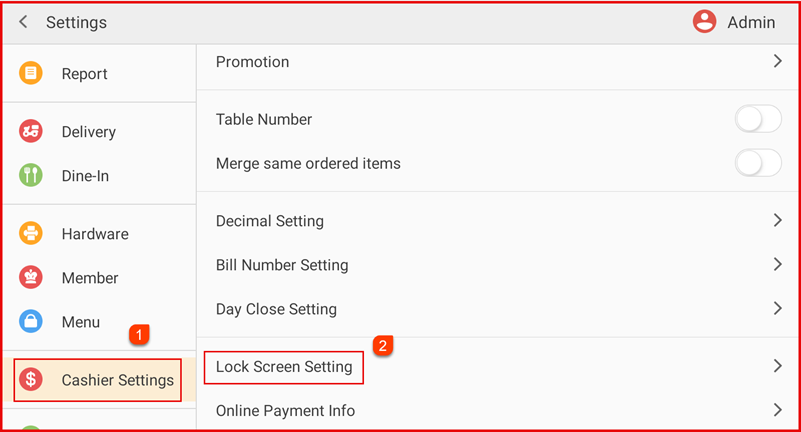
Step 1: Open Lock Screen Setting
Go to Settings > Cashier Settings > Lock Screen Setting.
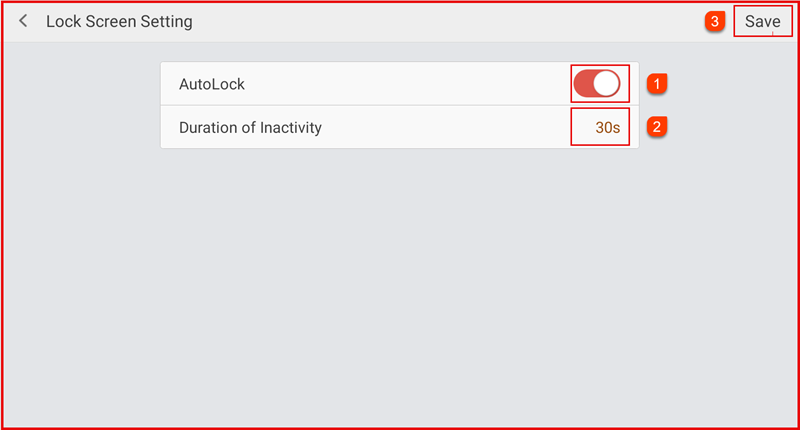
Step 2: Lock Screen Setup
- Enable AutoLock.
- Set the Duration of Inactivity (e.g., 30 seconds).4
- Tap Save to apply.
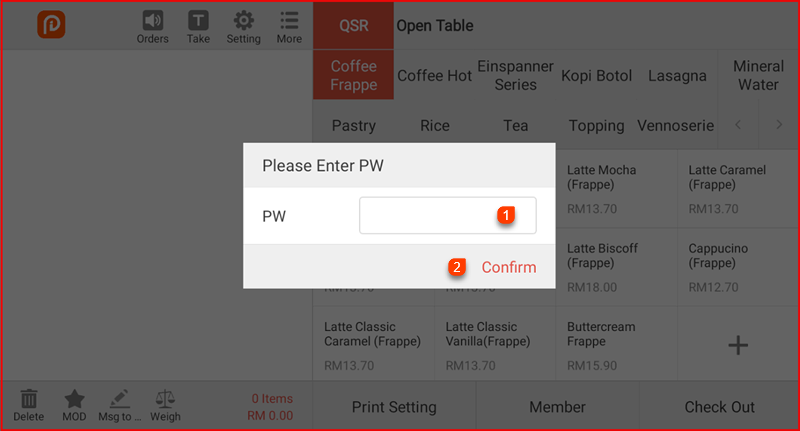
Step 3 : Unlock Lock Screen
When the screen is locked:
Enter the password in the PW field.
Tap Confirm to unlock and resume system operations.