Open & Login i-Kiosk App
The i-Kiosk app is a self-ordering application installed on a dedicated kiosk device. Follow the steps below to open the app and log in.
Step 1: Open the KIOSK App
On the kiosk device home screen, tap the KIOSK app icon to launch the application.

Step 2: Enter Login Credentials
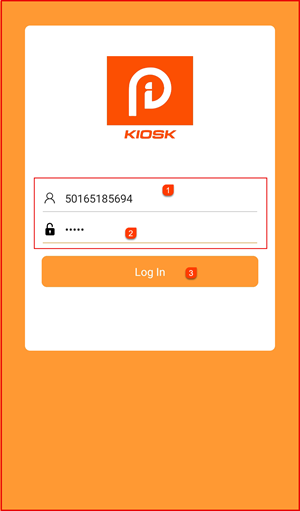
The i-Kiosk login screen will appear. Enter your credentials:
- Username ① — Enter your registered username (e.g. your store ID or phone number)
- Password ② — Enter your password
Tap Log In ③ to proceed.
Step 3: i-Kiosk Home Page
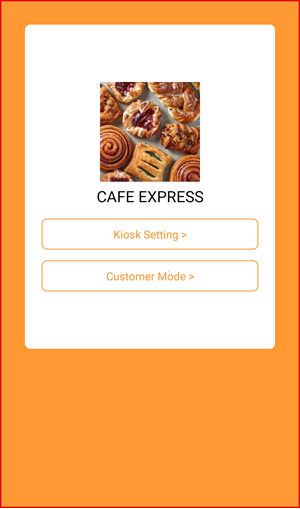
After a successful login, the i-Kiosk home page will appear showing your store name and two options:
- Kiosk Setting > — Access and configure kiosk settings
- Customer Mode > — Launch the customer-facing self-order interface