Member Point Add
This guide explains how to add loyalty points to a members account by scanning their QR code.
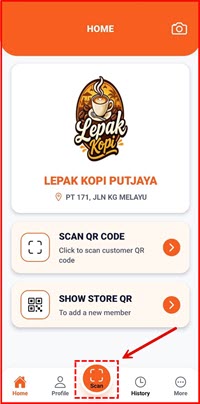
Step 1: Shop Tap SCAN QR CODE
On the HOME screen, tap SCAN QR CODE to open the scanner.
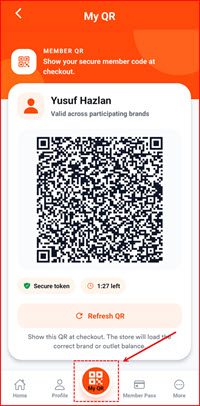
Step 2: Member Shows QR Code
Ask the member to show their QR code on their device.
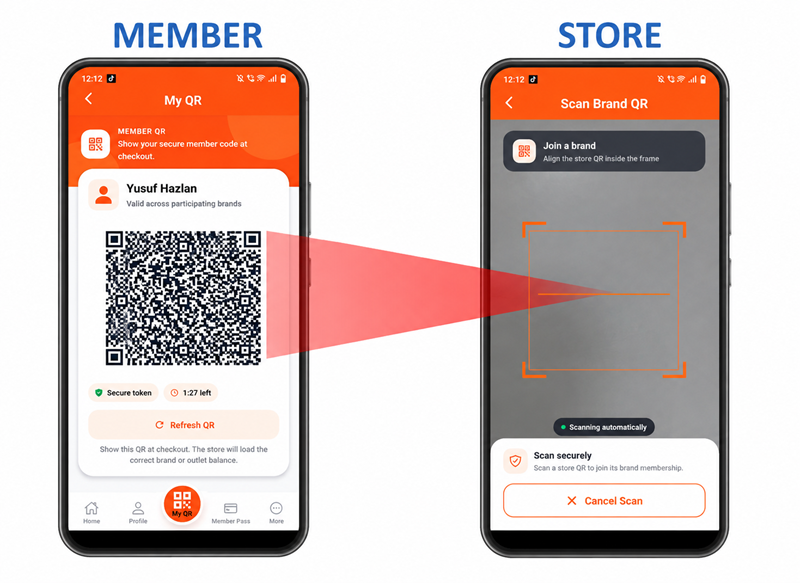
Step 3: Shop Scans Member QR Code
Scan the members QR code using your devices camera.
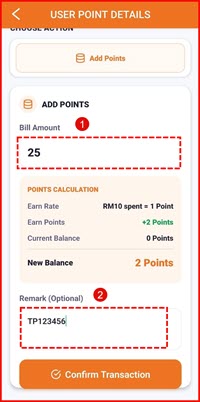
Step 4: Enter Purchase Amount
Enter the purchase amount on the screen. The system will automatically calculate the points to be awarded. Tap CONFIRM to complete the transaction.