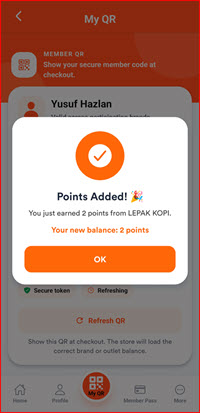
How to Collect Points
To earn points, the member displays their QR code in the app. The cashier scans it and enters the purchase amount — points are automatically credited to the member's account.
Step 1: Open the I-Pos Engage App
Open the I-Pos Engage app and make sure the store you want to use has been added under My Brands.
If the store is not listed, tap Add Brand to add the store.

Step 2: Show Your MYQR Code to the Cashier
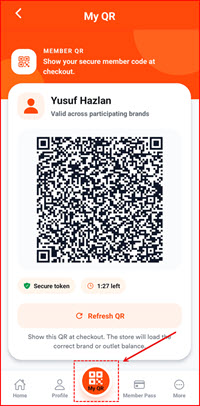
Tap MYQR at the bottom of the screen to display your personal QR code.
Show your MYQR code to the cashier to be scanned. The QR code is valid for a limited time and displays a countdown timer.
Step 3: Cashier Scans the QR Code
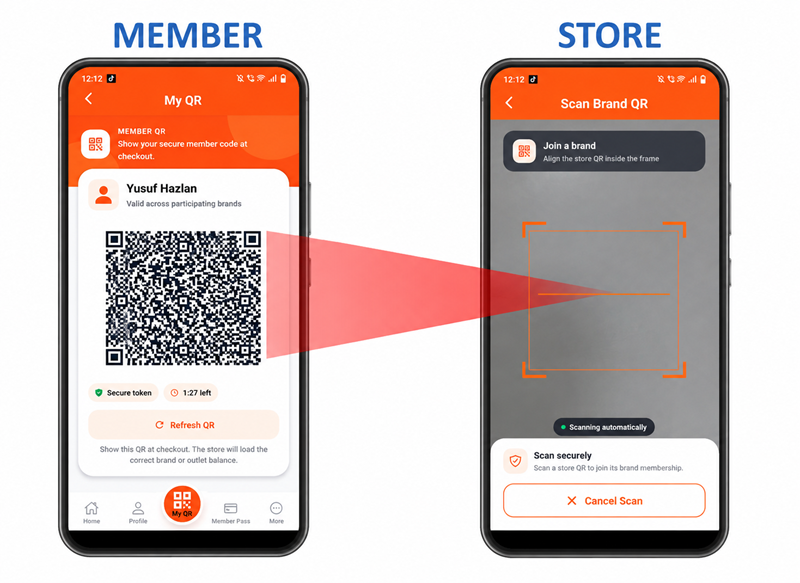
The cashier scans your QR code using the POS system and enters your purchase amount to calculate and credit the points.
Step 4: Points Credited
Once the cashier confirms the transaction, your Total Points are updated.
Your account now reflects the newly earned points and shows how many more points you need until your next reward.