How to Add a Member to a Shop
To join a shop, the member scans the store's QR code using the I-Pos Engage app. The cashier displays the Add Member QR code on their POS device for the member to scan.
Step 1: Add a Brand
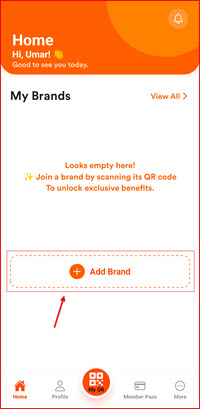
Open the I-Pos Engage app and go to My Brands. If the brand or store is not listed, tap Add Brand.
Step 2: Scan the Store QR Code
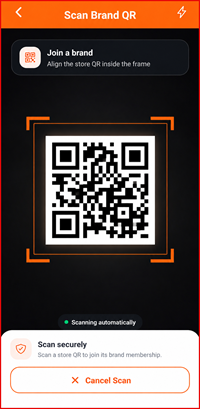
Open Scan Brand QR and place the Store QR code inside the scanning frame. The QR code will be scanned automatically.
Step 3: Review Store Details
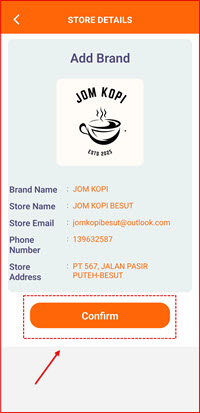
After the QR code is scanned, the Store Details will be displayed. Check the brand name, store name, and other information shown.
If all the details are correct, tap Confirm.
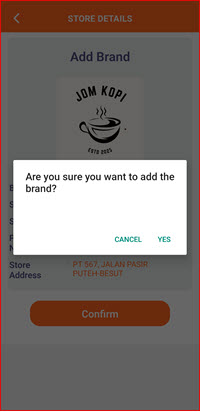
Step 4: Confirm Adding the Brand
A confirmation message will appear:
“Are you sure you want to add the brand?”
Tap YES to confirm and add the brand to your account.
Step 5: Brand Successfully Added
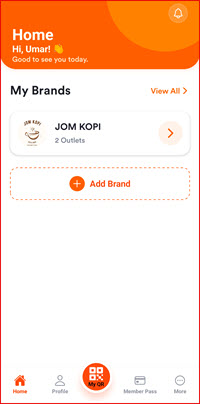
Once successfully added, the brand will appear under My Brands.
You can now see the brand name and the number of outlets available under the brand.