Shop Login
Use your registered shop email and password to sign in to the I-Pos Engage cashier app and access your store dashboard.
Step 1: Open the App and Tap Sign In
Launch the I-Pos Engage app. On the welcome screen, tap SIGN IN.

Step 2: Enter Your Credentials
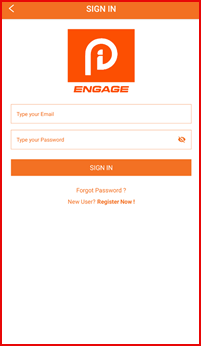
On the Sign In screen, enter your registered Email and Password, then tap SIGN IN.
Step 3: Access Your Store Dashboard
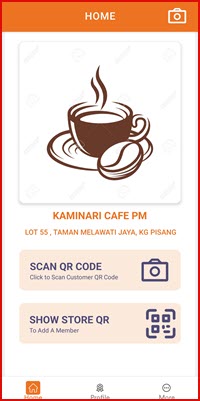
You are now logged in. The Home screen displays your store name and gives you access to:
- SCAN QR CODE — scan a customer's QR code to collect points or redeem rewards
- SHOW STORE QR — display your store QR code for new members to scan and join