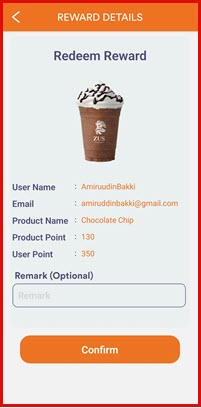
Member Reward Redeem
This guide explains how to help members redeem their collected points for rewards using the iPOS Engage cashier app. Members can scan their membership QR code or enter their member ID to access their points balance and redeem rewards.
Step 1: Scan Member QR Code
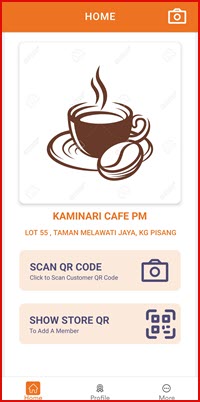
On the cashier screen, tap the QR Code icon to open the scanner. Ask the member to show their membership QR code, then scan it to identify the member. Alternatively, tap the keyboard icon to enter the member's phone number or member ID manually.
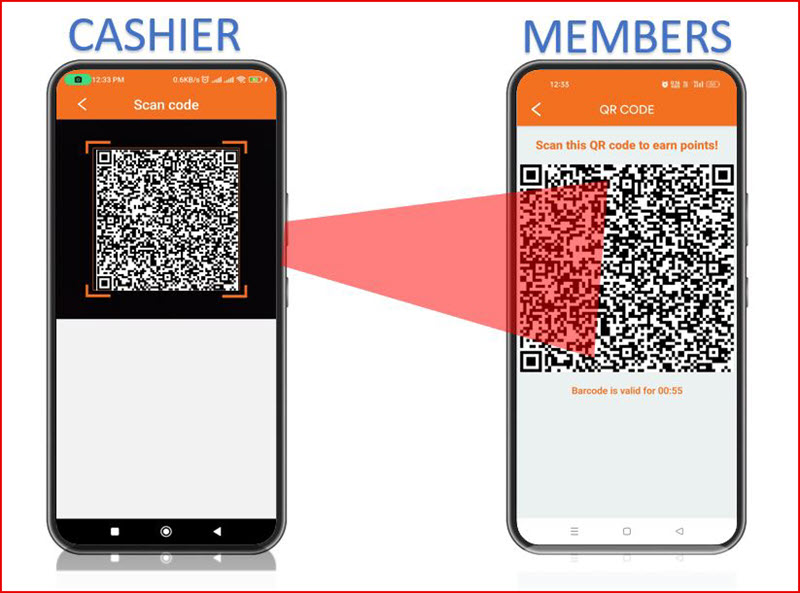
Step 2: Select Reward
Once the member is identified, the screen displays their current Points Balance and a list of available Rewards. Tap on a reward to view its details — the reward name, points required, and any redemption limits. Tap Select to choose the reward.
Step 3: Confirm with PIN
After selecting a reward, the member will be prompted to enter their PIN to confirm the redemption. Enter the 6-digit PIN and tap Confirm to complete the redemption. The points will be deducted from the member's balance and the reward will be redeemed.