Step 1: Go to More
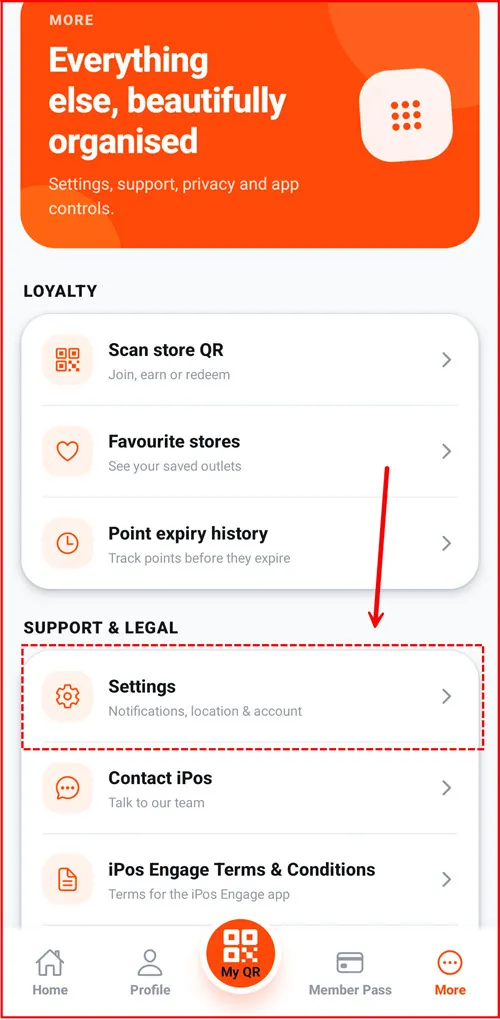
From the iPos Engage app, go to More from the bottom navigation menu.
Under Support & Legal, select Settings to access your account and application settings.
Step 2: Open Settings
Scroll to the Account section and select Delete account to begin the account deletion process.

Step 3: Select Delete Account
Enter your current account password in the confirmation field. Select Delete account to confirm the request.

Step 4: Review the Deletion Warning
A confirmation screen will appear explaining that account deletion is permanent and cannot be undone. Your account, personal information, memberships,
points and rewards will be permanently deleted.

Step 5: Account Deletion Requested
After confirmation, your account will be disabled and you will be signed out.
The account and associated personal data will be permanently deleted within 7 working days. A confirmation email will be sent once the deletion is completed.
