Member Fee Setup
Step 1: Go to Membership Settings, then click Member Fee.
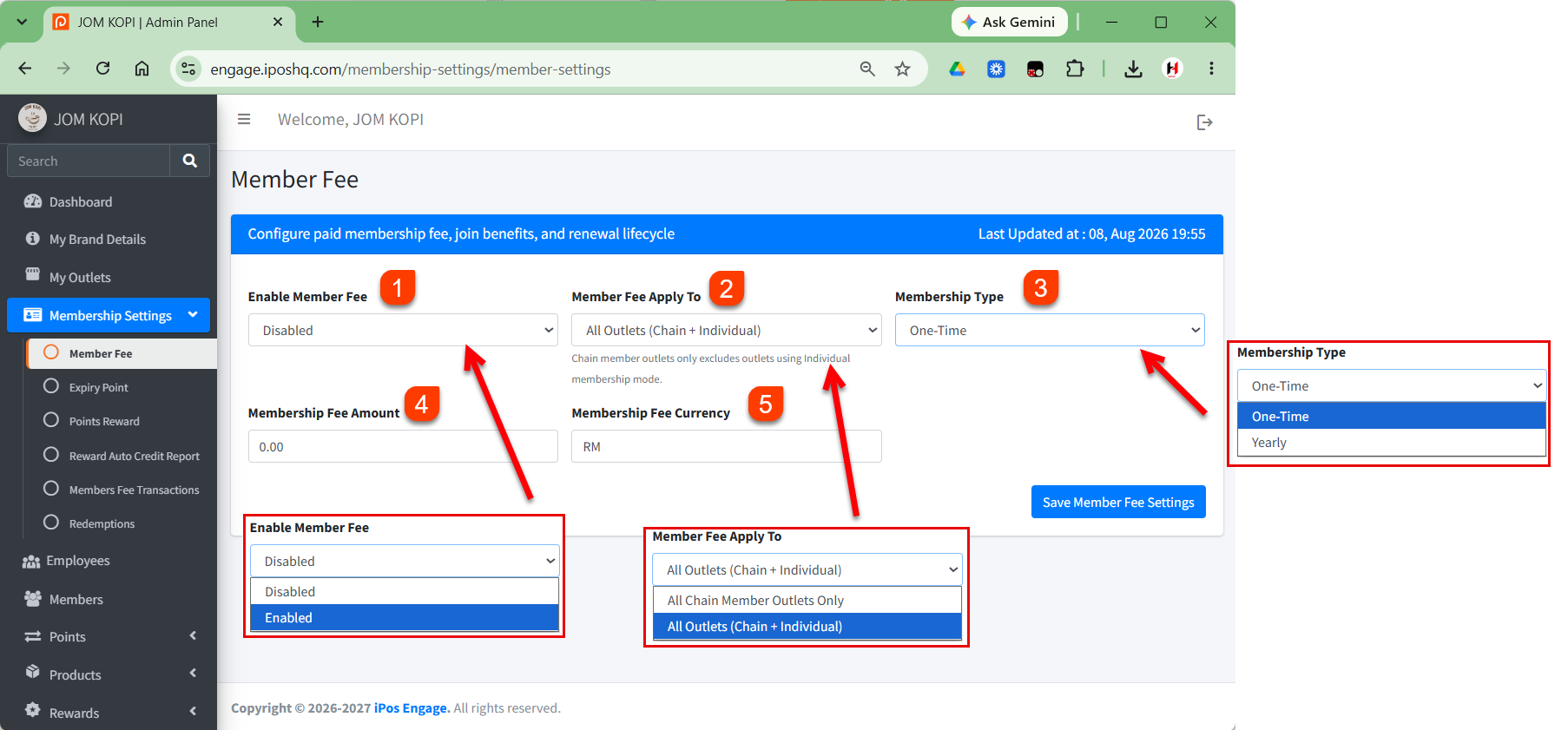
1. Enable Member Fee
Choose whether to Enable or Disable the member fee.
2. Member Fee Apply To
Select where the membership fee will apply:
- All Chain Member Outlets Only
- All Outlets (Chain + Individual)
3. Membership Type
Select the membership fee payment type:
- One-Time – fee is charged once.
- Yearly – fee is charged annually.
4. Membership Fee Amount
Enter the amount to be charged for membership.
5. Membership Fee Currency
Select the currency for the membership fee, for example RM.
Save Settings
After completing the settings, click Save Member Fee Settings to apply the changes.