Move Table
The Move Table feature lets you transfer an active order from one table to a different table without losing any order data.
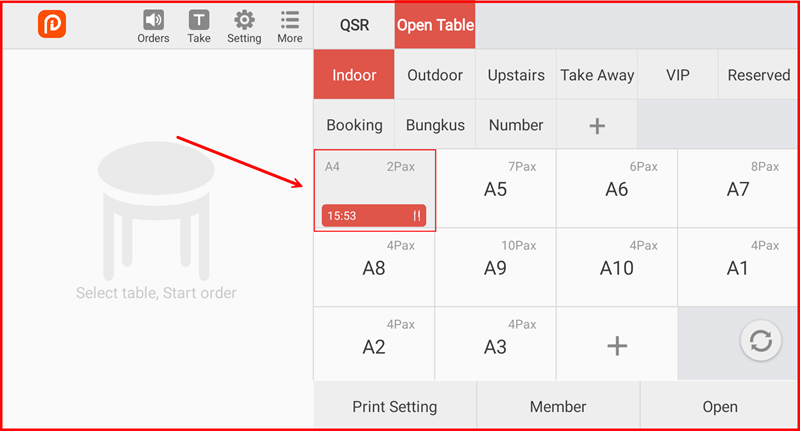
Step 1: Select the Active Table
On the Open Table screen, tap the active table you want to move (shown with a timer and order indicator, e.g. A4 with time 15:53).
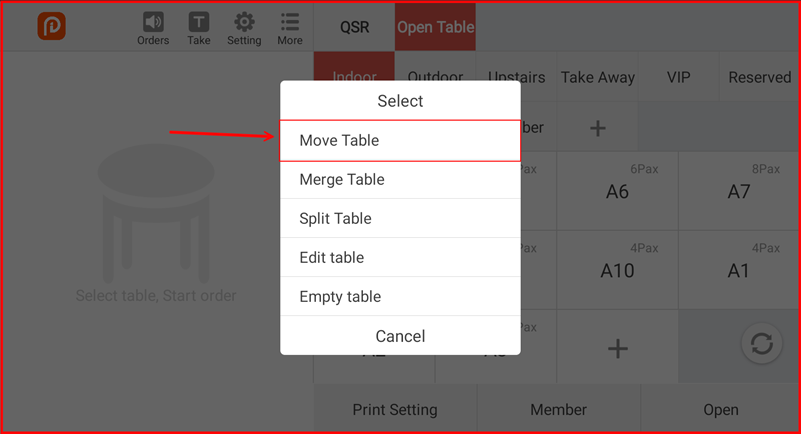
Step 2: Tap "Move Table"
A popup menu will appear with several options. Tap Move Table.
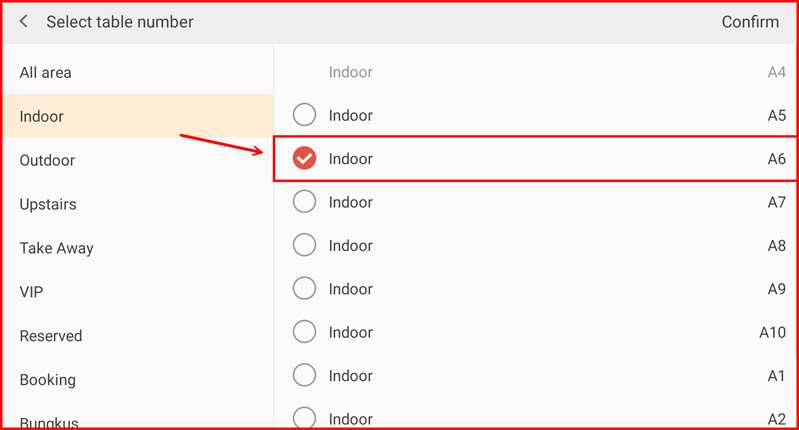
Step 3: Select the Destination Table
The Select table number screen will appear. Select the area on the left, then select the destination table on the right (e.g. Indoor A6). A checkmark will appear next to the selected table. Tap Confirm at the top right.
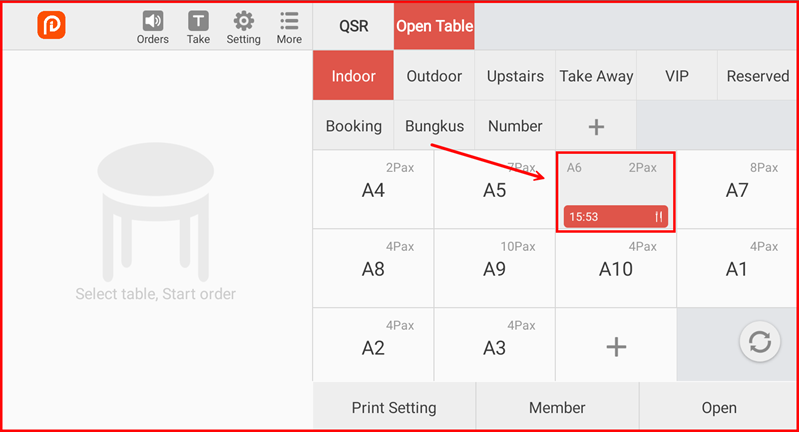
Step 4: Order Moved Successfully
The order has been moved to the new table (e.g. A6). The original table (A4) is now empty, and the active order now appears on A6.