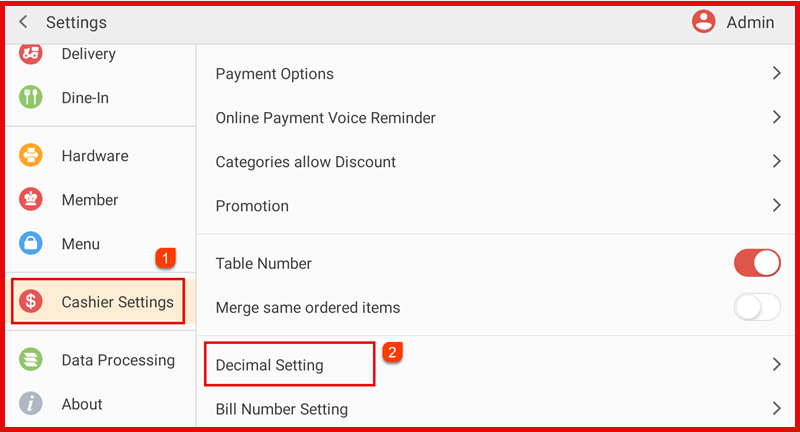
Step 1: Open Cashier Settings
- Go to Settings > Cashier Settings.
- Tap Decimal Setting.
Step 2: Configure Rounding Options
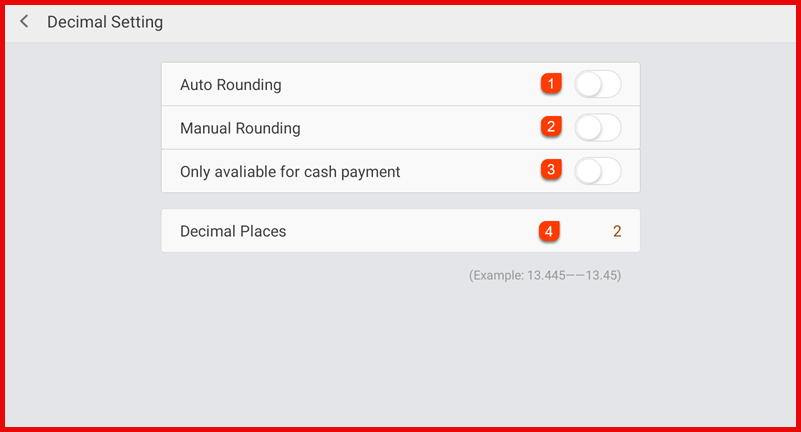
- Auto Rounding – Automatically round the total amount.
- Manual Rounding – Allow cashier to adjust rounding manually.
- Only available for cash payment – Apply rounding for cash payments only.
- Set Decimal Places - Enter the number of decimal places to display (e.g., 2).
Step 5: Exit
Settings will be applied automatically after adjustment.