Item Management
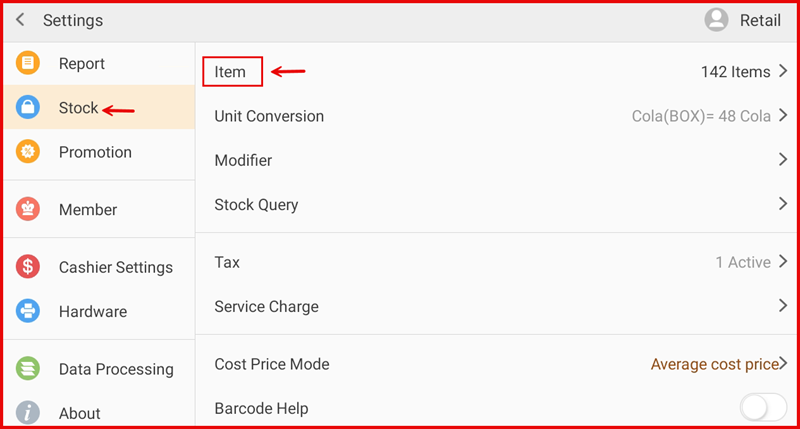
This guide explains how to manage stock items including categories and individual items in the iPOS Engage Stock module.
1. Item Management Page
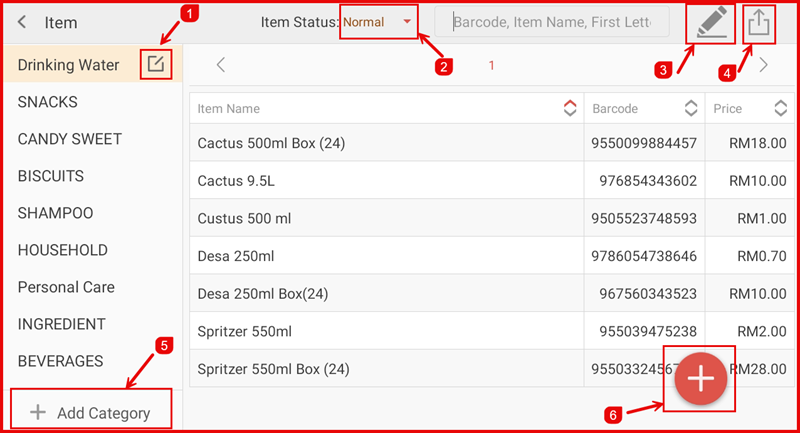
The Item Management page displays all stock items and categories. From here you can add, edit, or delete categories and items, and toggle item status.
2. Category & Item Operations
Manage your item categories and individual items:
- Add Category — Create a new item category to organise your products
- Edit Category — Update an existing category name or details
- Delete Category — Remove a category (ensure no items are assigned first)
- Add Item — Add a new stock item with name, price, cost price, tax, and category
- Edit Item — Update item details including pricing and category assignment
- Delete Item — Remove an item from the stock list
- Item Status — Toggle an item active or inactive to control visibility