Sync Data
The Sync function manually synchronises all data between your iPOS Retail device and the server. Use this whenever you need to ensure your local data is up to date, or after making changes in the back office.
Step 1 — Navigate to Sync
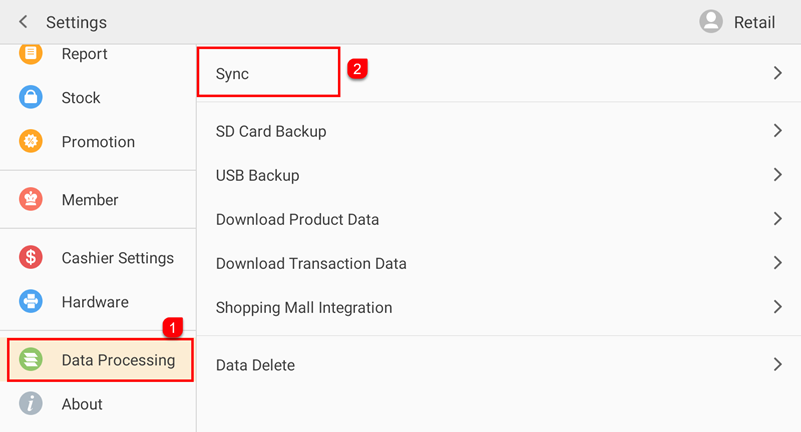
Tap Setting to open the Settings screen. In the left sidebar, tap Data Processing (①). Then tap Sync (②) on the right panel.
Step 2 — Sync in Progress
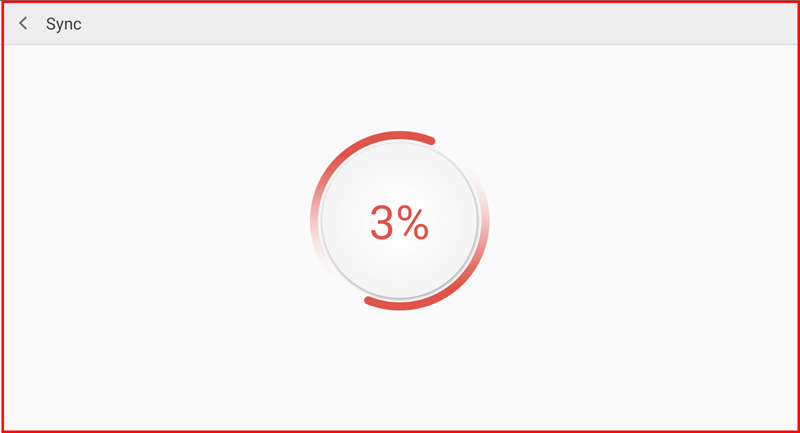
The Sync screen opens and begins syncing automatically, displaying a circular progress indicator with the current percentage. Wait for the sync to reach 100% to ensure all data has been successfully synchronised.