Service Charges
Setup the service charges
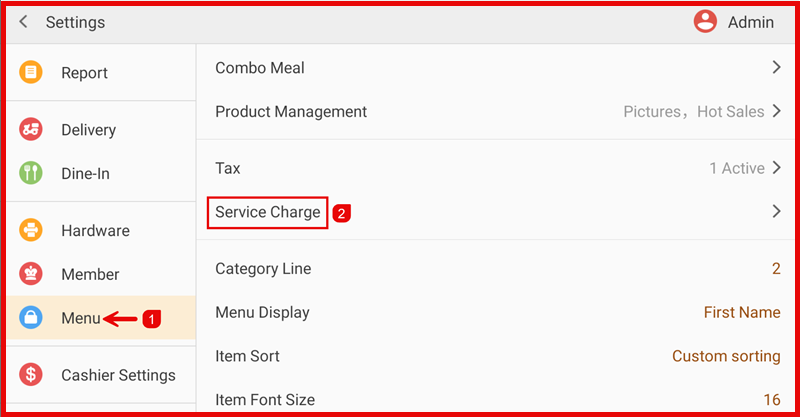
Step 1 : Open Service Charge
Go to Settings > Menu > Service Charge.
- Click Add new item or the ‘+’ button.
Step 2 : Set Service Charge Rate
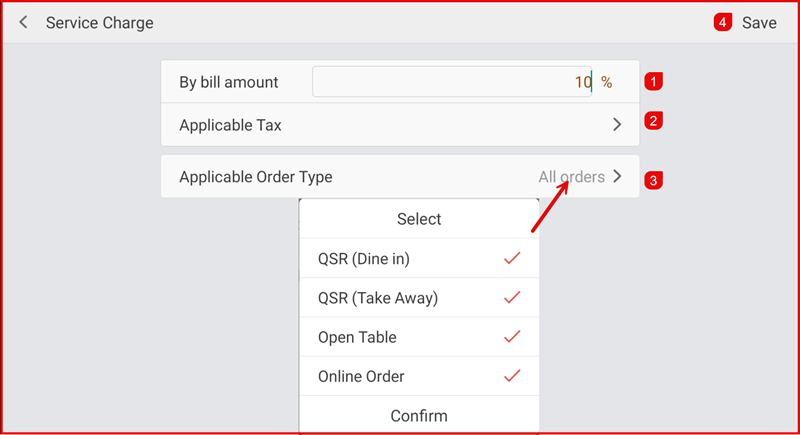
Fill in the required information:
- Enter the service charge percentage under By bill amount.
- Choose Applicable Tax (if required).
- Select Applicable Order Type (e.g., Dine In, Take Away, Open Table, Online Order).
- Click Save to apply the service charge settings.