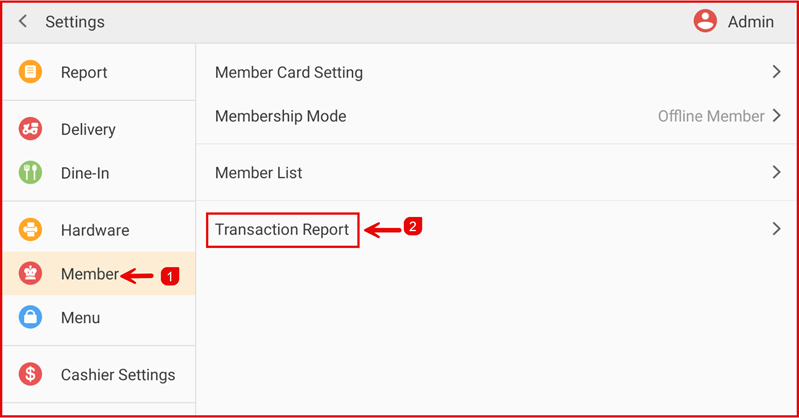
Step 1: Open Transaction Report
Go to Settings > Member > Transaction Report.
Step 2 : Transaction Report Settings
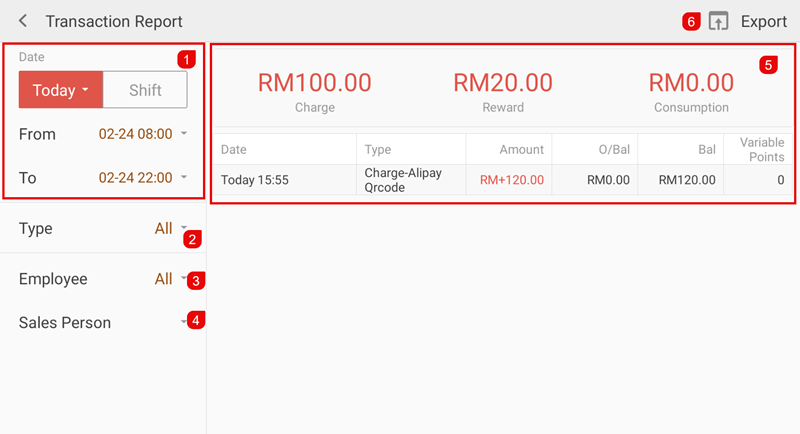
- Select the Date range or choose Today / Shift.
- Filter by Type (All / Consume / Charge / Points)
- Employee
- Sales Person
- Review the summary:
- Total Charge (Top-up)
- Reward
- Consumption
- Transaction details and balance.
Tap Export to download the report if needed by Email & USB.