Step 1:
Go to Settings > Member > Member Card Setting > Level Setting.
- Enable Auto Upgrade if you want the system to upgrade member levels automatically.
- Set the Upgrade Rules (e.g., based on total spending).
- Tap + Add Level to create a new membership level.
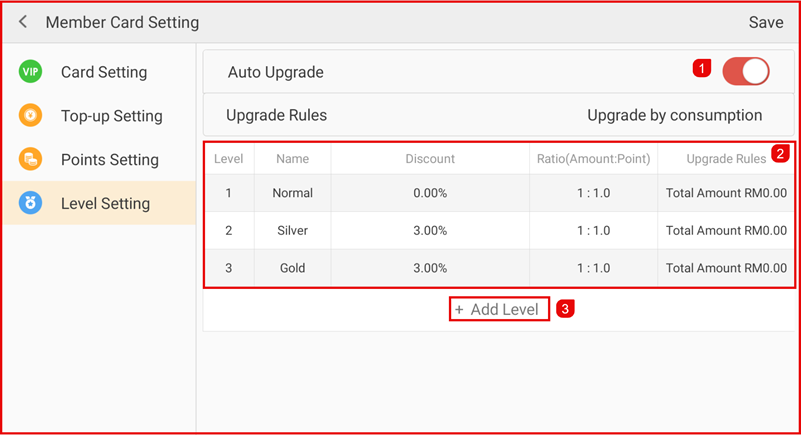
Add Member Level
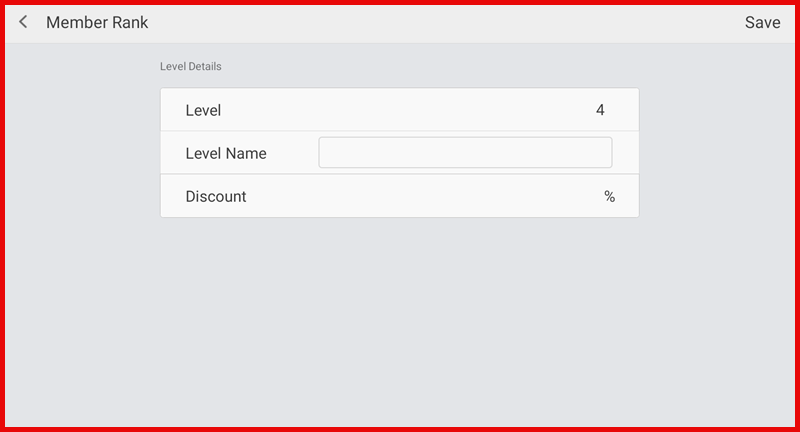
Enter the level details:
- Level name (e.g., Silver, Gold)
- Discount (%)
- Points ratio (Amount : Point)
- Upgrade condition
Step 2:
Tap Save to apply the settings.