Step 1: Member Point & Member Credit Setup
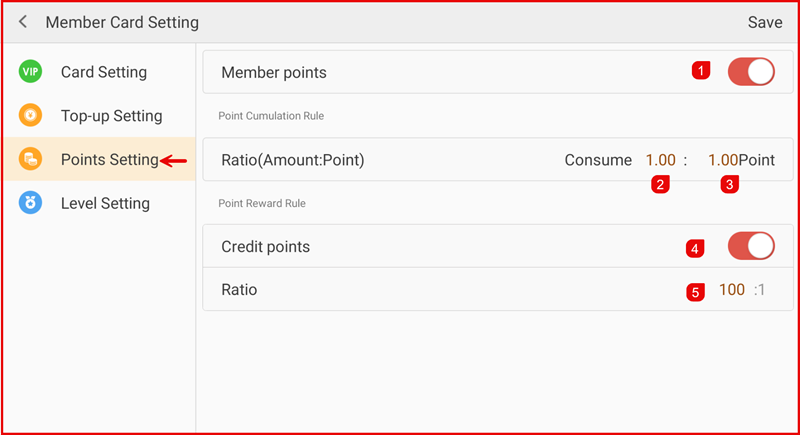
Go to Settings > Member > Member Card Setting > Points Setting.
- Enable Member Points to activate the points system.
- Set the Point Accumulation Ratio (Amount : Point).
Example: RM1 = 1 point.
3. Enable Credit Points if members are allowed to redeem points.
Example: 100 points = RM1.
Tap Save to apply the settings.