Contact Us (iPos HQ)
The Contact iPos feature allows you to send feedback or support requests directly to iPos HQ from within the iPOS Engage app.
Step 1: Tap "More" on the Home Screen
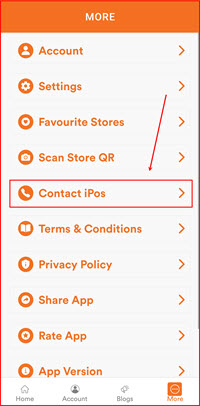
From the Home screen, tap the More icon at the bottom right of the navigation bar.

Step 2: Tap "Contact iPos"
On the More menu, scroll down and tap Contact iPos.
Step 3: Submit Your Request
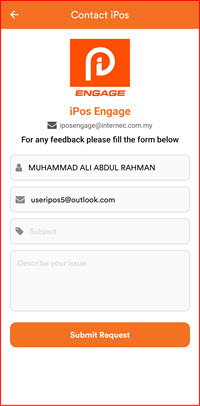
The Contact iPos form will appear showing the iPos Engage logo and support email. Complete the form:
- Name – your name (auto-filled from your account)
- Email – your email address (auto-filled)
- Subject – enter a subject for your enquiry
- Describe your issue – type your message or support request
Tap Submit Request when done. Your message will be sent to iPos HQ support.