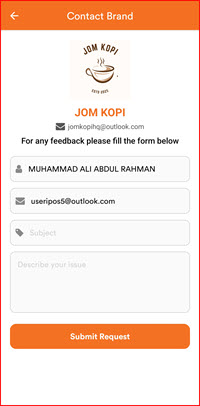
Contact Us (Store)
The Contact Brand feature allows you to send feedback or enquiries directly to the store or brand you are a member of, without leaving the iPOS Engage app.
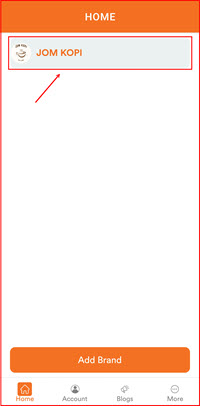
Step 1: Open the App and Select Your Brand
On the Home screen, tap on your brand (e.g. JOM KOPI) to enter the brand’s member area.
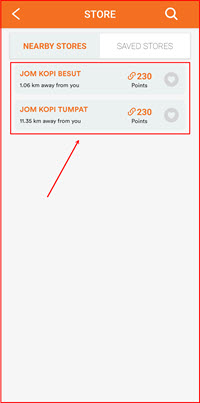
Step 2: Select a Store
You will see a list of Nearby Stores under the brand. Tap on the store you wish to contact.
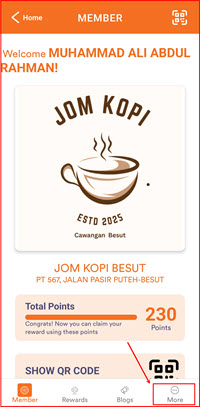
Step 3: Go to the Member Page
The Member page will display your membership details and total points for the selected store. Tap the More tab at the bottom right to access more options.
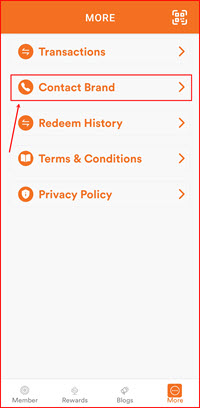
Step 4: Tap "Contact Brand"
On the More menu, tap Contact Brand.
Step 5: Submit Your Feedback
The Contact Brand form will appear with the brand’s name and email pre-filled. Complete the form:
- Name – your name (auto-filled from your account)
- Email – your email address (auto-filled)
- Subject – enter a subject for your enquiry
- Describe your issue – type your message or feedback
Tap Submit Request when done.