Contact Histories
The Contact Histories section records all feedback and enquiries submitted by customers through the i-POS Engage member app. Each submission creates a support ticket that you can track and resolve from the backend.
Step 1 — Navigate to Contact History
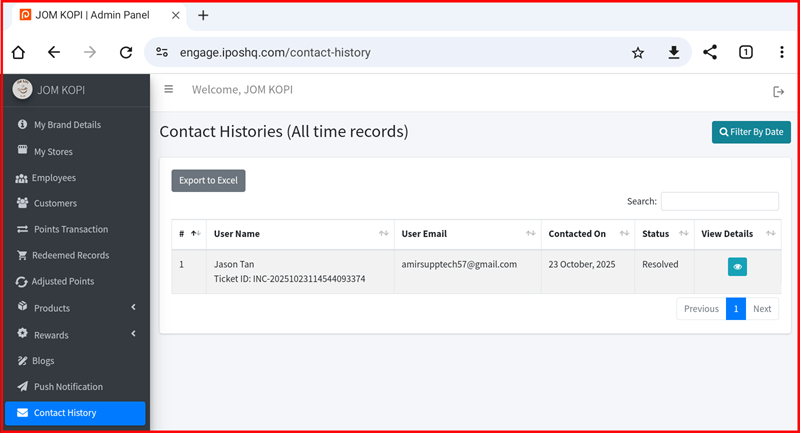
From the left sidebar, click Contact History. The Contact Histories (All time records) page displays every customer submission with the following columns:
- User Name — The customer's name and unique Ticket ID (e.g. INC-2025...).
- User Email — The email address of the customer who submitted the feedback.
- Contacted On — The date and time the feedback was submitted.
- Status — The current ticket status (e.g. Resolved, Pending).
- View Details — Click the eye icon to open and read the full feedback message.
Step 2 — Filter and Export
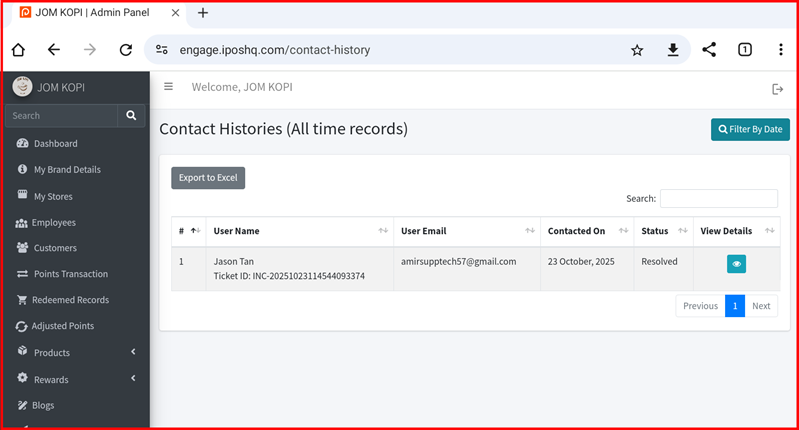
Use the Filter By Date button (top-right) to narrow records by a specific date range. Use the Search box to find a specific customer by name or email. Click Export to Excel to download all contact history records as a spreadsheet for reporting or follow-up.