Reward Record Information
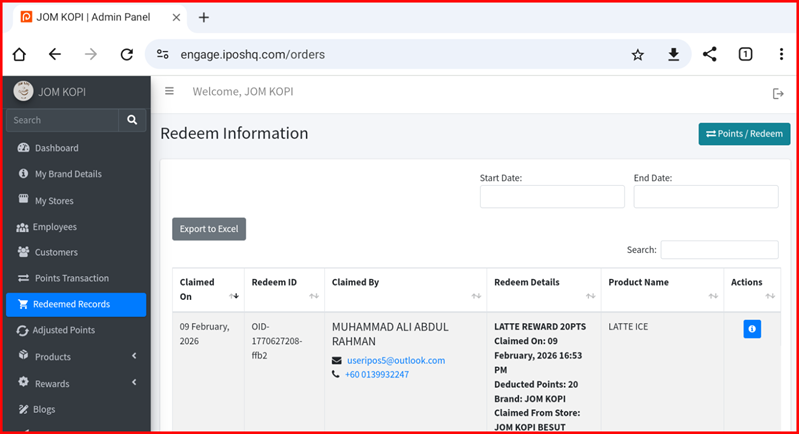
This guide explains how to manage reward redemption records in the iPOS Engage backend.
1. Reward Information Page
The Reward Record page displays all member reward redemptions including date, member name, store, reward claimed, and points used.
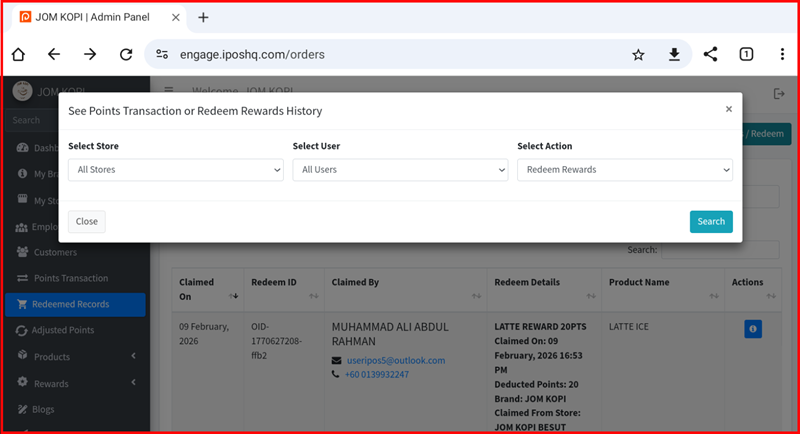
2. Reward History Filter
Use the filter options to narrow down reward records by date range, store, member, or reward type. This helps you quickly locate specific redemption records.
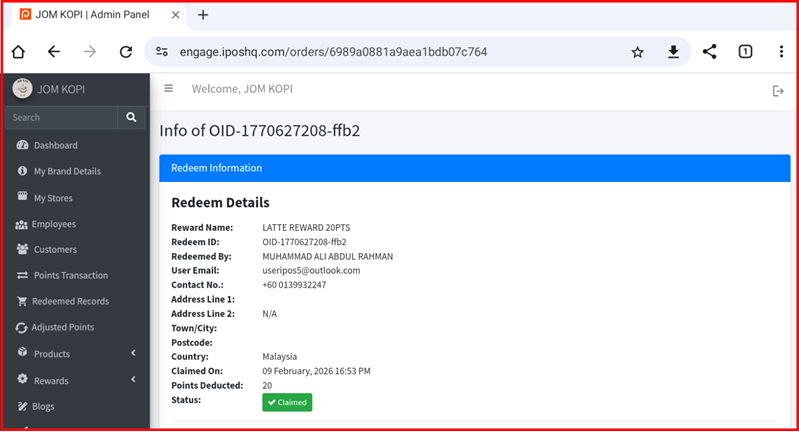
3. Info Button
Click the info button on any reward record to view full details of that reward claim including member information, points deducted, and transaction timestamp.
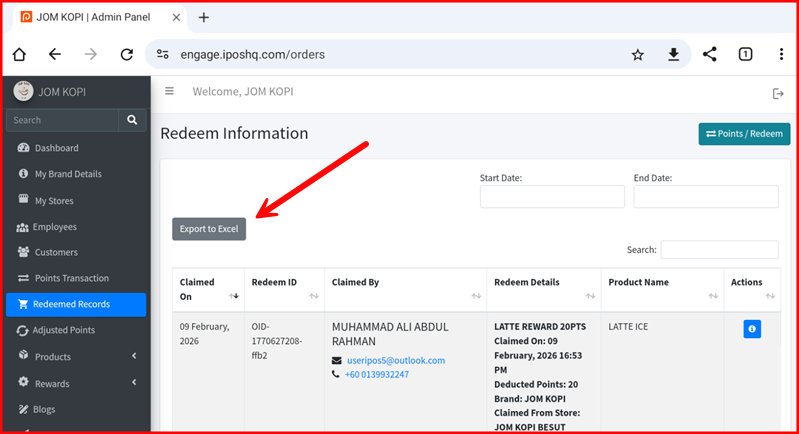
4. Export
Export reward records to CSV or Excel format for external reporting or analysis. Click the export button and select your desired date range.