Merge Table
The Merge Table feature combines the orders from two separate tables into a single table, making it easy to manage guests who wish to be seated together.
Step 1: Select the Active Table
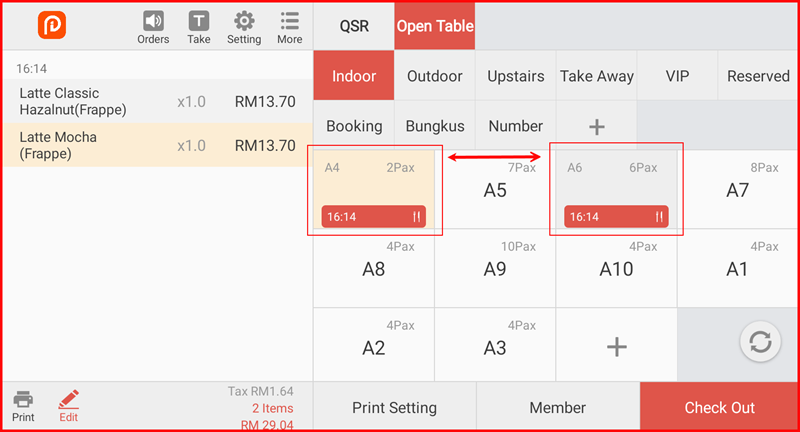
On the Open Table screen, tap the active table you want to merge from. The order items will be shown in the left panel (e.g. A4 with items Latte Classic and Latte Mocha).
Step 2: Tap "Merge Table"
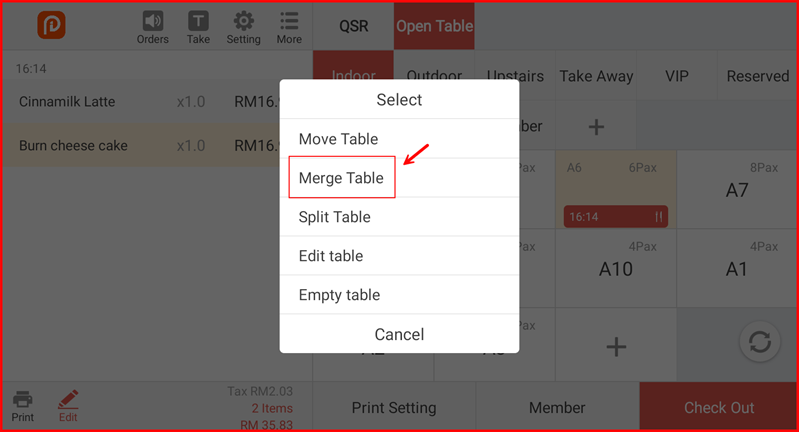
A popup menu will appear. Tap Merge Table.
Step 3: Select the Table to Merge Into
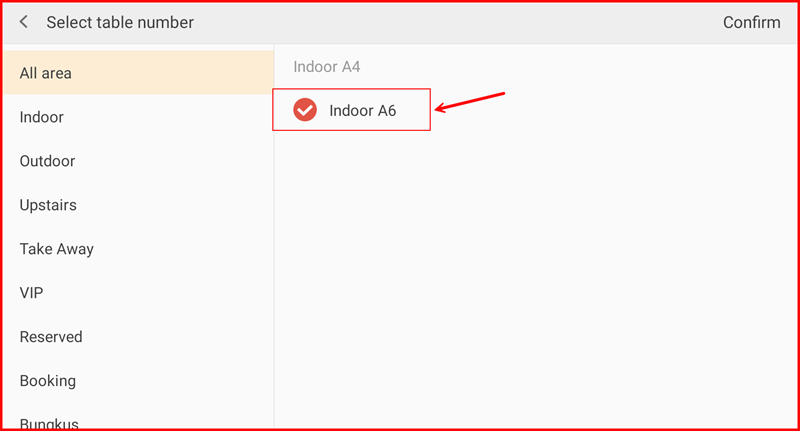
The Select table number screen will show only tables that currently have active orders. Select the target table (e.g. Indoor A6) and tap Confirm at the top right.
Step 4: Tables Merged Successfully
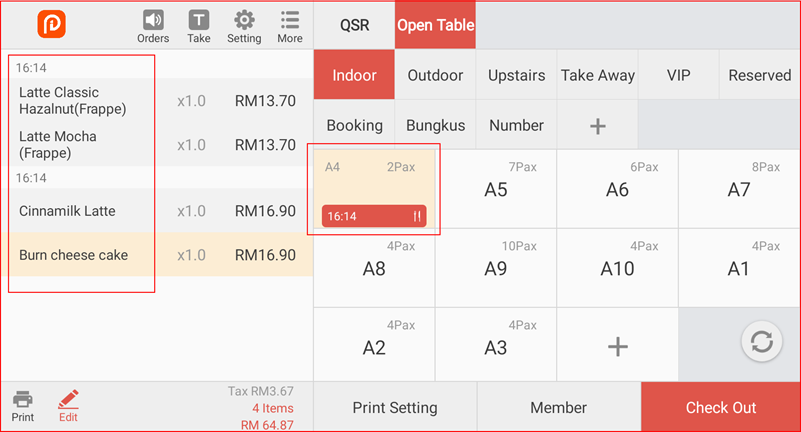
All items from both tables are now combined under one table (e.g. A4). The left panel shows all 4 items from both original orders, and the merged table displays a single active timer.