Step 1:
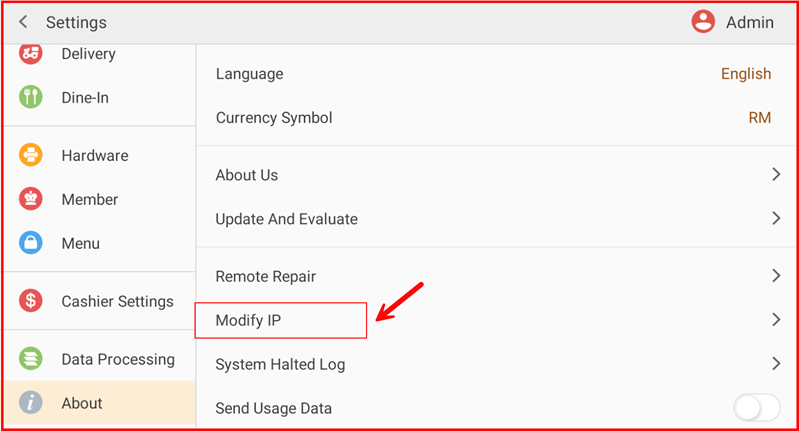
Go to Settings > About > Modify IP.
Step 2:
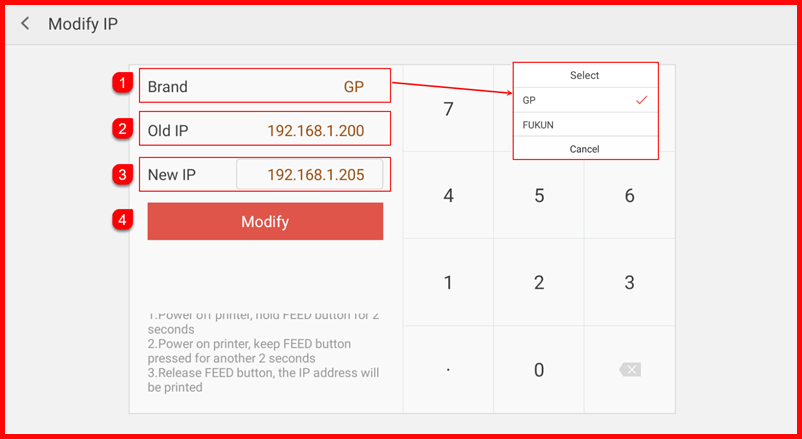
- Select the Brand (e.g., GP, FUKUN).
- Verify the Old IP address.
- Enter the New IP address.
- Tap Modify to save changes. Ensure the new IP address matches the printer/kitchen device network configuration