Steps
Step 1:
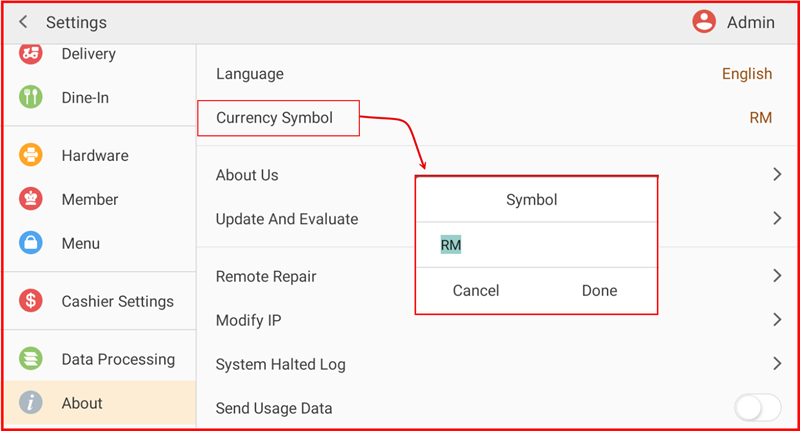
Go to Settings > About > Currency Symbol.
Step 2:
Tap Currency Symbol.
Step 3:
Enter or edit the currency symbol (e.g., RM, $, €, £).
Step 4:
Tap Done to confirm.
The system will apply the new currency symbol automatically.
iPOS F&B
Step 1:
Go to Settings > About > Currency Symbol.
Step 2:
Tap Currency Symbol.
Step 3:
Enter or edit the currency symbol (e.g., RM, $, €, £).
Step 4:
Tap Done to confirm.
The system will apply the new currency symbol automatically.